supermarket-category-management-with-pos-data

Supermarket Category Management: How POS Data Can Improve Product Performance

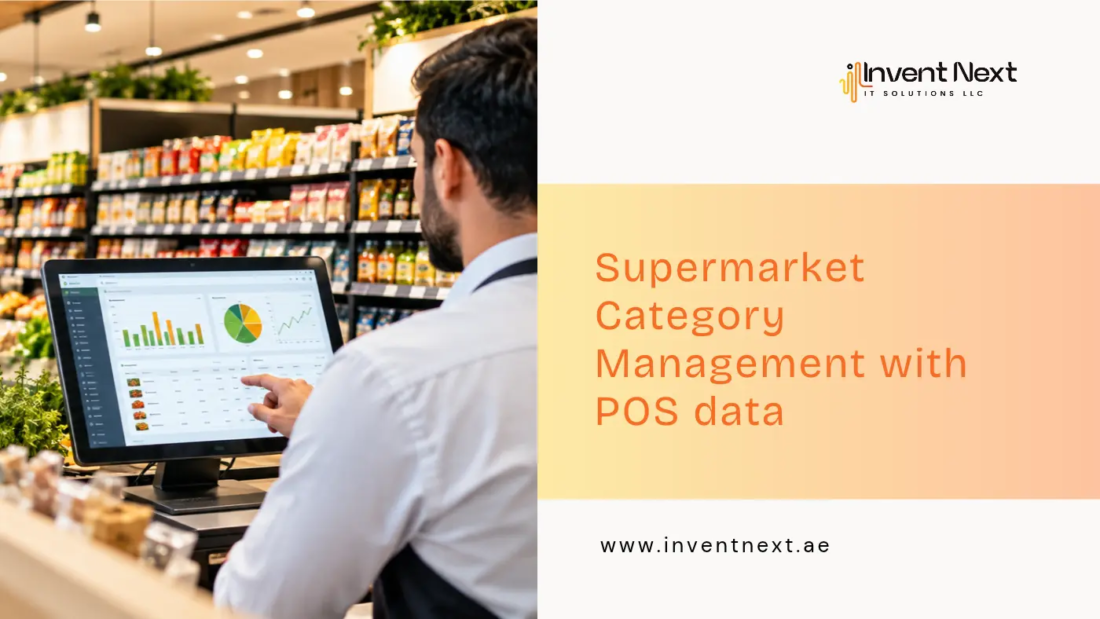
A well-run supermarket takes more than full shelves. Each product competes for limited space, and every buying decision shapes revenue, margins, and how happy shoppers are. Still, plenty of stores choose what to stock, promote, or drop based on instinct. A better starting point is real purchase behaviour. A modern Point of Sale (POS) system records every transaction and shows what sells, when it sells and how items move together. With a structured approach to supermarket category management, retailers can cut waste, keep popular items available, and earn more from each category. Ordinary checkout transactions become practical insight, helping a store serve its shoppers while growing the business.

What Is Supermarket Category Management?

Supermarket category management means treating each group of related products as its own small business. Rather than judging items one by one, retailers review whole categories such as dairy, beverages, snacks, fresh produce and household basics.

The aim is to see how every category performs, then make sound choices about range, pricing, promotions and shelf layout. A store might find that snacks peak at weekends while breakfast products sell best on weekdays. With that knowledge, managers can time their orders and offers around how customers actually shop. A POS system makes this far easier by gathering sales records and turning them into clear reports.

How POS Data Helps Improve Product Performance

A POS system does much more than take payments. It gives owners a live view of what is happening across the store.

1. Spot Best-Sellers and Slow Movers

Products do not all earn their place equally. Some leave the shelf within days, while others sit for weeks.

POS reports let retailers see:

  • Fast sellers that need frequent restocking.
  • Slow movers taking up valuable space.
  • Products that bring in the most revenue.
  • Items with the healthiest profit margins.

If a drink sells strongly week after week, keeping it well stocked prevents lost sales. If another item lags, the retailer can check its price, position and demand before deciding whether it deserves to stay.

2. Strengthen Inventory Management

Overstocking and stockouts are the two classic inventory problems, and both hurt profit. POS data shows how fast each product moves, so replenishment can be planned around real demand. Past sales help stores forecast demand, notice seasonal swings and set sensible stock levels. This matters most for short-life goods such as dairy, bakery items and fresh produce. A dependable POS system can also follow stock movement and flag items that need attention.

3. Learn How Customers Shop

Shoppers often buy certain items in the same basket. Someone picking up pasta may add a sauce, some cheese or herbs. Transaction records reveal these pairings, and retailers can use them to improve layouts.

Practical uses include:

  • Shelving complementary products side by side.
  • Building bundles that make sense to buyers.
  • Suggesting related items during promotions.
  • Designing offers around common buying habits.

Small tweaks like these can lift basket size and make shopping easier.

4. Make Smarter Pricing and Promotion Decisions

A discount can bring shoppers in, yet it does not always add profit. Sales volume may rise while the extra income fails to cover the price cut. POS reports let retailers compare results before, during and after a promotion.

They can then judge whether the offer sold more units, lifted category revenue, or simply gave away margin on purchases that would have happened anyway. For a fair comparison, measure against a similar period and account for seasonal demand, stock levels and any price changes.

5. Plan for Seasonal Demand

Demand shifts around holidays, weekends, school terms and special occasions. In the UAE, for instance, supermarkets often see different buying of beverages, dates, snacks and pantry staples during Ramadan and Eid.

Past POS records show when these shifts begin, so inventory can be prepared early. Managers can then place orders, set stock levels and prepare campaigns ahead of the rush instead of reacting after shelves empty.

Key Benefits of Using POS Data for Category Management

Retailers who use sales information consistently tend to improve in several areas.

Better Product Selection

Reports show which items shoppers favour, so the range can be refined and space given to products in higher demand.

Reduced Inventory Waste

Sharper demand forecasts prevent unnecessary stock build-up, which matters most for perishables that can expire before they sell.

Higher Profitability

When owners understand margins, volumes and promotion results together, they can make choices that protect the bottom line.

Improved Customer Satisfaction

Popular products stay in stock and related items are easy to find, which makes each visit smoother.

More Efficient Store Operations

Automated reports replace manual counting and guesswork, leaving managers more time to act on what they learn.

Choosing the Right POS System for Your Supermarket

Your category decisions are only as good as the information your software provides. A POS system Abu Dhabi retailers rely on should handle daily billing and also offer strong tools for stock and sales analysis.

Before you choose, look for these features:

  • Product-level sales reports: View sales by item, category and time period.
  • Inventory tracking: Follow stock movement and see what needs reordering.
  • Barcode management: Bill faster and identify products accurately.
  • Promotion tracking: Measure how discounts and offers perform.
  • Reporting tools: Get clear summaries that guide decisions.
  • Multi-branch management: Compare results across store locations.
  • Integration capabilities: Link sales information with accounting or inventory workflows.

The best choice suits your store size, product range, daily operations and growth plans.

If you are comparing supermarket POS system Abu Dhabi, also weigh ease of use, how flexible the reports are, and the quality of support after setup.

Expert Tips for Better Category Management

Gathering data is just the beginning. The value comes from acting on it.

Review Category Performance Regularly

Schedule weekly or monthly check-ins on sales, stock, margins and product movement. Frequent reviews catch problems while they are still cheap to fix.

Focus on Profit, Not Just Sales Volume

A top-selling item is not always the most profitable. Look at volume and gross margin together when judging a category.

Test Changes Before Applying Them Everywhere

Try new shelf positions, prices or promotions in a small area first. Compare the results, then roll out across stores.

Combine Sales Data With Staff Insights

Reports tell you what customers buy, while your team often knows why. Using both gives you a fuller picture.

Keep Product Information Accurate

Wrong prices, outdated records and duplicate items distort reports. Clean product data means decisions rest on facts.

Common Mistakes to Avoid

Even the best POS system cannot help if the habits around it are weak.

  • Ignoring slow-moving products: Review weak performers regularly so they do not pile up.
  • Overstocking based on past sales alone: Factor in seasonality, planned promotions, supplier lead times and shifting preferences.
  • Running discounts without measuring results: Check the effect on sales and profit before repeating a campaign.
  • Focusing only on revenue: Include margins, stock turnover and waste in your category reviews.
  • Ignoring local demand: Tastes differ by neighbourhood, store format and customer group.
  • Collecting data without taking action: End each review with specific improvements and an owner for each one.

How Retail Software Dubai Businesses Use to Support Better Decisions

As a supermarket grows, handling products, stock and sales by hand becomes harder. Retail software brings these tasks into one place so information is easier to reach and use. With retail software Dubai businesses can use to run their stores, retailers gain clearer visibility of product performance, track inventory and make better-informed operational choices.

When POS reporting is paired with solid inventory control and regular reviews, owners can find room for improvement in individual categories and across the whole business. The goal is not simply to gather more figures. It is to make everyday decisions quicker, more accurate and better matched to what customers want.

Frequently Asked Questions

1. What is the role of POS data in supermarket category management?

POS data reveals what sells, how customers combine purchases, how stock moves and how promotions perform. Retailers use it to improve their range, plan inventory, set prices and raise category profit.

2. How often should supermarkets analyse category performance?

Weekly reviews suit fast-moving products and stock issues. Monthly reviews give a wider view of profitability and demand shifts. The right rhythm depends on the product type and the size of the store.

3. Can a POS system help reduce food waste?

Yes. Sales history helps retailers forecast demand and order more accurately. Add expiry-date checks and stock rotation, and spoilage and waste drop further.

4. What features should supermarkets look for in POS software?

Look for product-level sales reports, inventory tracking, barcode support, promotion analysis, margin reporting and, where needed, multi-branch management.

5. Is category management useful for small supermarkets?

Yes. Even a small store can use POS reports to find popular products, control stock, cut waste and decide which items deserve more shelf space. A simple weekly sales review is enough to start.

Conclusion: Turn Sales Data Into Better Product Performance

Strong supermarkets do not run on gut feeling. They study shopper behavior, watch inventory, test their promotions and keep refining each category. By putting POS data to work, retailers can see what sells, understand customer needs, reduce waste and lift profit. What matters is turning reports into clear actions that improve daily operations.

Invent Next helps businesses explore software built for retail operations and smarter management. To gain better inventory visibility, understand product performance and simplify store operations, explore the solutions at Invent Next or visit the Supermarket POS Software page to learn more.
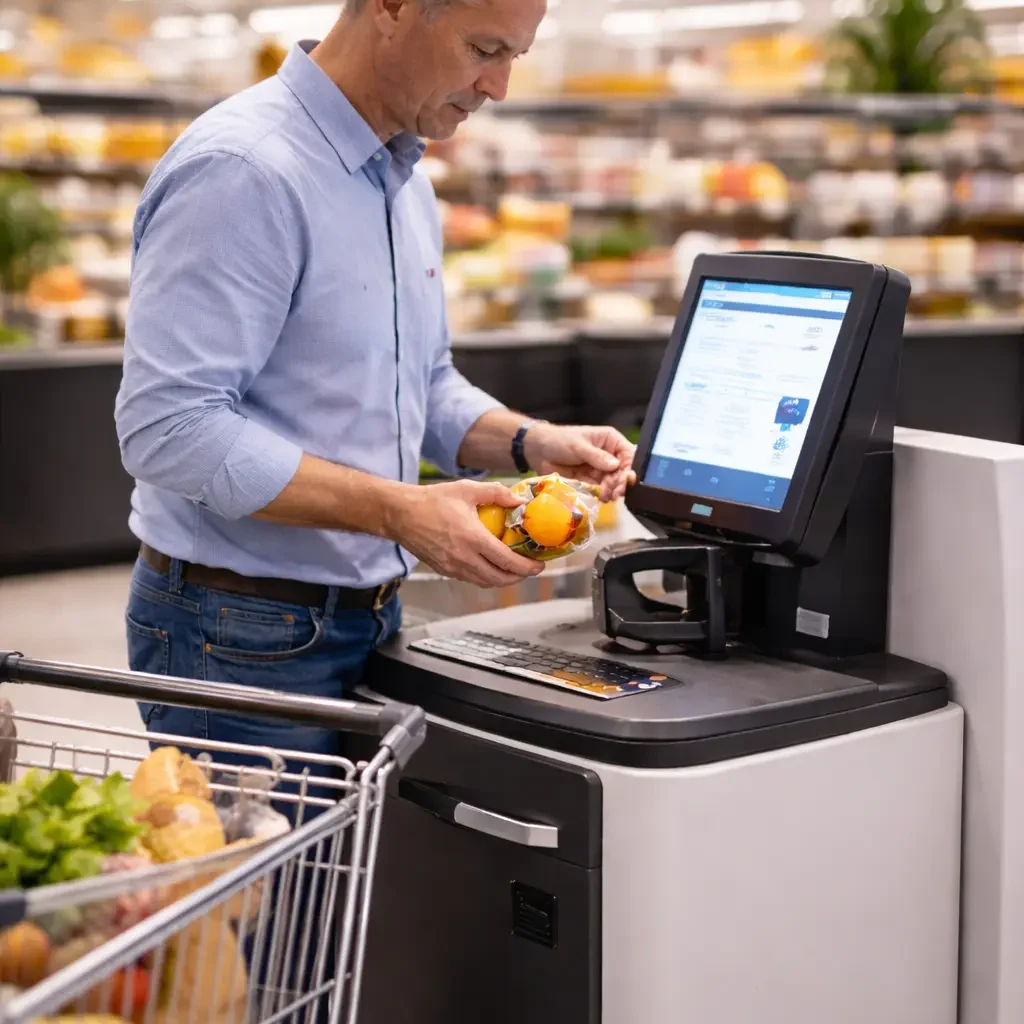
benefits of pos self checkout (1)

Top Benefits of POS Self-Checkout for Supermarkets and Hypermarkets

Step into any busy supermarket during peak hours, and you’ll immediately see the pressure points—long queues, impatient customers, and overwhelmed staff. In large-format retail like supermarkets and hypermarkets, checkout is often the weakest link in an otherwise well-optimised operation. This is exactly where POS self-checkout is changing the game. It’s not just a convenience feature anymore; it’s becoming a core part of modern retail strategy. By shifting part of the checkout process into the hands of customers, stores are unlocking faster service, better efficiency, and a more flexible operating model.

Why Large Retail Stores Are Moving Toward Self-Checkout

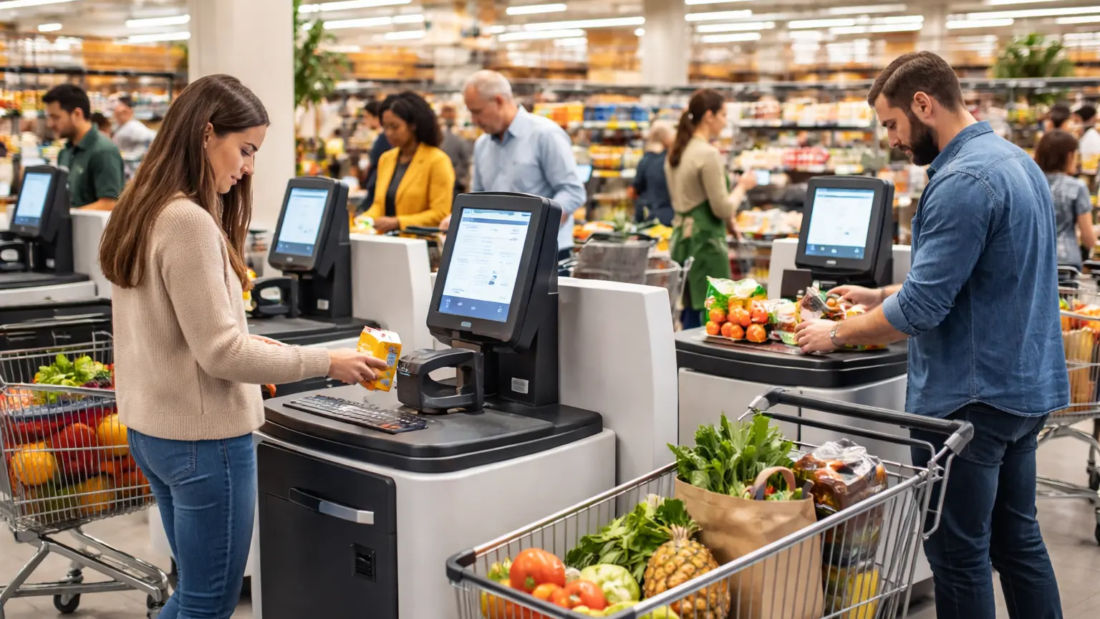
Supermarkets and hypermarkets deal with massive daily footfall. Even a small delay at checkout can create a ripple effect across the store. Traditional billing systems rely heavily on staffing and fixed counters, which makes scaling difficult. Self-checkout introduces flexibility. Instead of expanding checkout lanes, stores can add compact kiosks that handle transactions quickly and efficiently.

Retailers using POS systems for supermarket Dubai have already demonstrated how this shift can ease congestion during peak hours without increasing operational complexity.

Faster Checkout Without Compromising Experience

The most obvious advantage is speed. Customers who only have a few items don’t have to wait behind full carts anymore. The difference is clear when things are busy. Self-checkout kiosks are great for small purchases, but regular counters are better for bigger ones. This separation alone makes the wait time a lot shorter.

Better Use of Staff and Resources

One common misconception is that self-checkout replaces employees. In reality, it allows better use of human resources. Instead of assigning multiple staff members to billing counters, retailers can reposition them where they add more value—helping customers on the floor, managing inventory, or ensuring smooth store operations. This shift leads to more efficient workforce utilization without reducing service quality.

Improved Customer Satisfaction and Loyalty

Today’s shoppers want to be in charge and have things easy. They want choices, not restrictions. Self-checkout fits with this way of thinking because it lets customers go at their own pace. Some people like to do their own billing quickly, while others may still want help with it. Giving customers both options makes shopping more welcoming and enjoyable. Over time, this flexibility leads to more loyal customers.

Optimising Store Layout and Space

During peak shopping hours, supermarket checkout lines may become jammed up due to traditional cash registers taking up too much space and not processing many customers at a time. However, utilising self-service checkout kiosks allows retailers to increase overall customer volume (within the same square footage) by allowing different configurations of the kiosks to allow for better organisation and accessibility throughout the supermarket.

Real-Time Insights for Smarter Operations

Modern retail runs on data, and checkout systems are one of the richest sources of it. Self-checkout solutions are typically integrated with broader retail platforms, allowing businesses to track performance in real time.

Retailers using retail software Dubai systems can analyze transaction patterns, identify peak hours, and adjust staffing or promotions accordingly. These insights help improve both operational efficiency and customer experience.

Supporting Business Growth and Scalability

As retail supermarkets continue to expand, it is becoming harder to scale up their legacy retail checkout systems. To add counters, you need additional physical space and additional employees, which are both expensive. The self-checkout system is much more flexible than the traditional checkout system. More self-checkout kiosks can be added as demand increases without needing to make significant construction changes

Retailers working with experienced POS system suppliers in UAE often design systems that can scale smoothly alongside business growth.

Reducing Lost Sales From Long Queues

Few individuals leave the cart as they see lines. One of the different but significant reasons fewer customers abandon their carts is due to self-checkout, as it provides faster transactions; thus, there are fewer missed sales and much more overall.

Key Advantages at a Glance

While the impact is best understood in practice, the core benefits can be summarised briefly:

  • Faster transactions during peak hours
  • Better utilization of staff
  • Improved customer convenience
  • Efficient use of store space
  • Greater operational flexibility

These advantages make self-checkout a practical investment rather than just a technological upgrade.

Expert Tips for Successful Implementation

How well self-checkout works depends a lot on how well it is done. A well-planned setup can work great, but a poorly planned one can cause problems. Retailers should make things easy to use and understand. Even people who have never used it before should be able to figure out how to use the interface. A big difference is made by clear instructions, touchscreens that work well, and workflows that make sense.

Staff support during the first phase is just as important. Customers are more likely to use the system if they know they can get help quickly.

Businesses using advanced POS system Abu Dhabi solutions often prioritise user experience as much as backend technology to ensure smooth adoption.

Common Mistakes Retailers Should Avoid

Despite its benefits, self-checkout can fall short if certain basics are ignored. Overcomplicating the interface is one of the most common issues. If customers struggle to complete a transaction, the system defeats its purpose. Another frequent mistake is poor placement—it should be easy to locate and access, not hidden or cramped. Ignoring maintenance is another risk. Even minor technical issues can disrupt the flow during busy hours, so regular system checks are essential.

A Real-World Transformation Example

A large hypermarket facing constant checkout congestion decided to introduce self-checkout kiosks. Initially, customers were hesitant, but with proper guidance and a simple interface, adoption increased steadily. Within a short period, the store noticed a clear improvement. Queue times dropped, customer feedback improved, and staff were able to focus on more productive tasks. This is where POS self-checkout proves its value—not just as a feature, but as a practical solution to everyday retail challenges.

Looking Ahead: The Future of Checkout in Retail

Self-checkout is evolving rapidly. What we see today is only the starting point. Technologies like AI-based product recognition, mobile scanning, and contactless payments are already shaping the next phase of retail. These innovations aim to make checkout even faster and more intuitive, eventually blending seamlessly into the shopping journey.

As this evolution continues, POS self-checkout will remain a central element in modern retail strategy.

Frequently Asked Questions

1. Is self-checkout suitable for all supermarkets and hypermarkets?

Yes, especially for stores with high footfall. The setup can be adjusted based on store size and customer volume.

2. Do customers find self-checkout difficult to use?

Most modern systems are designed to be intuitive. With minimal guidance, even first-time users can complete transactions.

3. Does it reduce the need for employees?

Not exactly. It changes how staff are utilised, allowing them to focus on customer service and store operations rather than just billing.

4. How secure are self-checkout systems?

Advanced systems include sensors and monitoring features to ensure accurate transactions and reduce misuse.

The Shift Toward Smarter Checkout

In supermarkets and hypermarkets, checkout speed can define the entire shopping experience. A slow process creates frustration, while a smooth one leaves a lasting positive impression.

Self-checkout offers a practical way to solve one of retail’s most persistent challenges. It improves efficiency, enhances customer satisfaction, and provides the flexibility needed to scale in a competitive market. For retailers aiming to stay ahead, the decision is becoming increasingly clear—embracing smarter checkout solutions is no longer optional but essential for long-term success.

If you’re looking for a reliable POS system in Abu Dhabi, our experts are here to help you choose and implement the right solution for your supermarket or hypermarket. Call +971 552088101 today to take the next step toward faster, more efficient, and future-ready retail operations.

supermarket-pos

Why Every Supermarket Needs Dedicated POS Software

Supermarkets operate in a fast-paced environment where speed, accuracy, and inventory control directly impact customer satisfaction and profitability. Managing thousands of products, daily high-volume transactions, and frequent stock movement using manual or generic billing systems often leads to errors and inefficiencies. This is why every supermarket today needs POS software operations.

Dedicated supermarket POS systems are designed specifically to handle the complexity of supermarket workflows, making daily operations smoother and more reliable.

POS Software for Supermarket Improves Billing Speed and Accuracy

Long queues at checkout counters are one of the biggest challenges supermarkets face. Dedicated POS software for supermarket enables fast billing through barcode scanning, weighing scale integration, and automated price calculations.

Each transaction is processed quickly and accurately, reducing billing errors and improving customer experience. Faster checkouts mean higher customer satisfaction and better footfall management during peak hours.

Better Inventory Control with Supermarket POS Software

Inventory accuracy is critical in supermarket operations. Supermarkets deal with fast-moving, slow-moving, and perishable products daily. Manual stock tracking often results in mismatches between physical stock and system records.

POS software updates inventory in real time whenever a product is sold, returned, or received. This allows store managers to monitor stock levels accurately, avoid shortages, and reduce overstocking. Automated alerts help ensure timely reordering and prevent loss of sales due to unavailable products.

Reduced Stock Loss and Expiry Management

Stock loss due to expiry, theft, or mismanagement can significantly affect supermarket profitability. Dedicated POS systems help track batch numbers, expiry dates, and product movement in detail.

By using POS software for supermarket, businesses gain visibility into inventory aging and can take action before products expire. This reduces wastage and improves overall inventory efficiency.

Actionable Reports for Smarter Decision-Making

POS software provides detailed reports on sales trends, best-selling products, peak shopping hours, and inventory performance. Instead of relying on assumptions, supermarket owners can make data-driven decisions.

These insights help optimize pricing strategies, plan promotions, and improve purchasing decisions. With real-time data, supermarkets can respond quickly to changing customer demand.

Improved Customer Experience and Payment Flexibility

Modern customers expect convenience and multiple payment options. Dedicated POS systems support cash, card, digital wallets, and contactless payments, ensuring smooth transactions.

Accurate billing, faster checkouts, and consistent pricing improve customer trust. When combined with loyalty programs and customer data tracking, supermarket POS software helps increase repeat visits and customer retention.

Scalable POS Software for Growing Supermarkets

As supermarkets expand to multiple branches, managing operations manually becomes impossible. POS software supports multi-store management, centralized pricing, and unified reporting.

This scalability ensures consistent operations across locations and gives owners complete control, even as the business grows.

Conclusion

A supermarket’s success depends on speed, accuracy, and inventory control. Dedicated POS software for supermarket operations helps streamline billing, improve inventory accuracy, reduce losses, and enhance customer experience.