
A point-of-sale system is the operational core of modern businesses. From billing and inventory to customer management, everything flows through it. When you encounter a POS machine touch screen not-working issue, it is not just a technical glitch. It is a direct interruption to your revenue stream and customer experience.
Whether you run a retail outlet, restaurant, or warehouse, even a short downtime can create long queues, frustrated customers, and lost sales. This blog explains why these issues happen, how to fix them efficiently, and what businesses can do to prevent them in the future.
Why Touch Screen Issues Should Not Be Ignored
Transactions are not the only thing impacted by a non-responsive POS screen. The entire workflow is disrupted. Order processing may be difficult for staff, billing errors may rise, and overall service quality may decline.
Speed is crucial in high-volume settings. Over the course of a day, even a few seconds of transactional delay can add up to major operational inefficiencies.
Common Causes of POS Touch Screen Problems
By determining the foundation of your issue, you can work more professionally and efficiently on finding a solution.
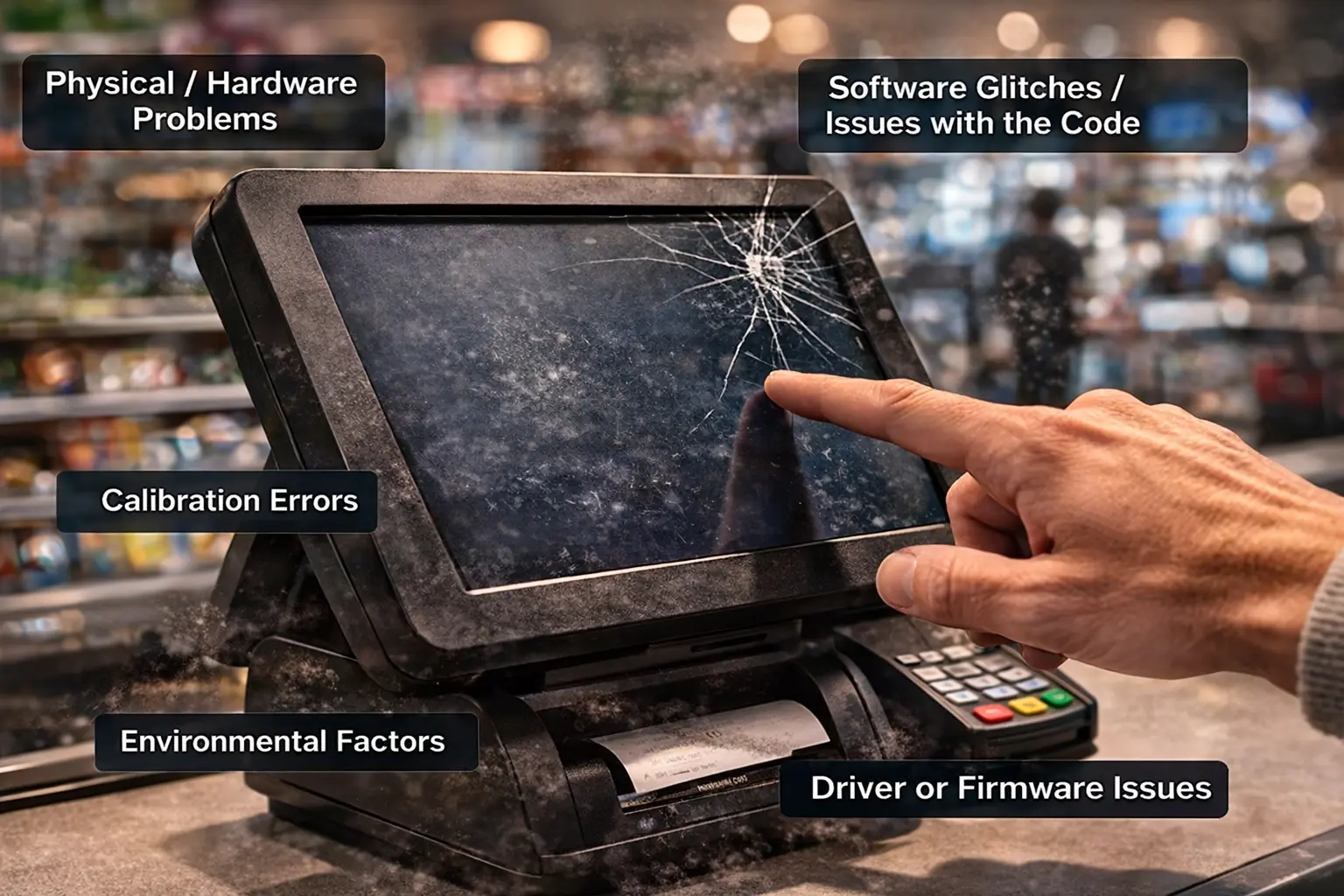
Physical/Hardware Problems.
One of the main reasons for the touch screen not working on your POS machine is due to physical damage to the touch screen. Damage can include cracks, wear on internal components, or pressure damage.
Software Glitches / Issues with the Code.
If your POS machine has not been updated in a while or has bugs due to temporary glitches, you might run into issues with the touch screen not responding to your touch. Software glitches often occur after an update has occurred or if the unit has not been shut down properly.
Calibration Errors
If your touch screen is not calibrated correctly, you may have issues with registering touches on the screen properly or accurately. If this situation occurs, using the unit will be difficult.
Environmental Factors
Dust/grease and moisture are all common factors within a business. Dust, grease, and moisture can also interfere with touch sensitivity over a period of time.
Driver or Firmware Issues
Corrupted drivers and outdated drivers can affect communication between the touch screen and the computer.
Practical Fixes You Can Try
There are a few easy things you can do before you call tech support:
- Restart the POS machine; this will clear temporary problems
- Wipe the screen with a microfiber cloth and a suitable cleaner
- Look for any noticeable damage to the screen
- Recalibrate the touch screen by going into your system settings
- Update the POS software and firmware
If these steps do not resolve the issue, it likely requires professional attention.
When to Seek Expert Help
In certain cases, temporary solutions are insufficient. Professionals should be consulted if the touch screen continues to be unresponsive or exhibits inconsistent behavior.
Recurring failures, obvious hardware damage, or persistent problems are clear signs that your system needs a more thorough examination. Ignoring these indicators may result in total system failures.
Industry Relevance and Real-World Impact
POS systems are widely used across industries, and touch screen reliability is critical in each case.
In restaurants, fast order processing is essential to maintain service quality. Many businesses rely on advanced systems like restaurant Pos software Dubai to streamline operations, but hardware efficiency remains equally important.
Retail stores depend heavily on quick billing processes. A stable retail POS system UAE ensures seamless customer checkout, but a malfunctioning screen can bring operations to a halt.
Supermarkets handle high transaction volumes daily. Businesses using supermarket POS software in Dubai must maintain flawless POS functionality to avoid long queues and customer dissatisfaction.
Automotive service centers rely on integrated tools like garage software in Dubai for job tracking and billing. A non-functional touch screen can disrupt workflow and delay service delivery.
Warehousing operations also depend on POS integrations. Systems connected with warehouse management software in Dubai require consistent hardware performance for inventory and dispatch accuracy.
Preventive Maintenance for Long-Term Performance
In order to prevent unplanned failures, routine maintenance is essential. Proactive POS system maintenance reduces interruptions and improves efficiency for businesses.
Simple but efficient procedures include cleaning the screen every day, making sure employees handle it properly, and updating the software. Purchasing safety gear and a reliable power source also contributes to the device’s longer lifespan.
Repair vs Replacement: What Should You Choose?
Sometimes businesses face a critical decision between repairing an existing system or upgrading to a new one. The choice depends on cost, frequency of issues, and business needs.
Here is a quick comparison:
| Factor | Repair | Replacement |
| Cost | Lower initially | Higher upfront |
| Longevity | Temporary solution | Long-term reliability |
| Performance | May remain inconsistent | Improved efficiency |
| Downtime | Possible recurring issues | Minimal after setup |
If your system frequently faces a POS machine touch screen not working issue, upgrading may be the more practical and cost-effective solution in the long run.
Business Benefits of a Reliable POS System
A fully functional POS system contributes directly to business success. It improves speed, accuracy, and customer satisfaction. Reliable systems help businesses:
- Process transactions faster
- Reduce billing errors
- Enhance staff productivity
- Deliver better customer experiences
In competitive markets, these advantages can significantly impact growth and profitability.
FAQs
What causes a POS touch screen to stop working?
It can be due to hardware damage, software glitches, calibration issues, or environmental factors like dust and moisture.
Can I fix the issue without technical support?
Basic troubleshooting, such as cleaning, restarting, and updating software, can resolve minor issues.
How do I know if my POS needs replacement?
If problems occur frequently and repairs are costly, replacing the system is usually the better option.
How often should POS systems be maintained?
Regular cleaning and periodic technical checks are recommended to ensure optimal performance.
About Invent Next
Delivering modern POS and business software solutions suited to the current operational requirements is Invent Next’s area of expertise. The company focuses on scalability. dependability, and user-friendly systems that help businesses increase productivity and decrease downtime.
With a strong focus on innovation and customer service, Invent Next makes sure that companies have the resources they require to run efficiently and expand with assurance.
Conclusion
A POS machine touch screen not working issue is more than just a minor inconvenience. It is a disruption that can affect your entire business operation. Identifying the root cause, applying the right fixes, and maintaining your system properly are essential steps to ensure uninterrupted performance.
As businesses grow, investing in reliable and modern POS solutions becomes increasingly important. Addressing issues early and upgrading when necessary can save both time and money while improving customer satisfaction.
Looking to upgrade or fix your POS system? Call +971 552088101 today to speak with our experts and find the right POS solution for your business.