current-trends-in-inventory-management-with-smart-pos-systems

Current Trends in Inventory Management with Smart POS Systems

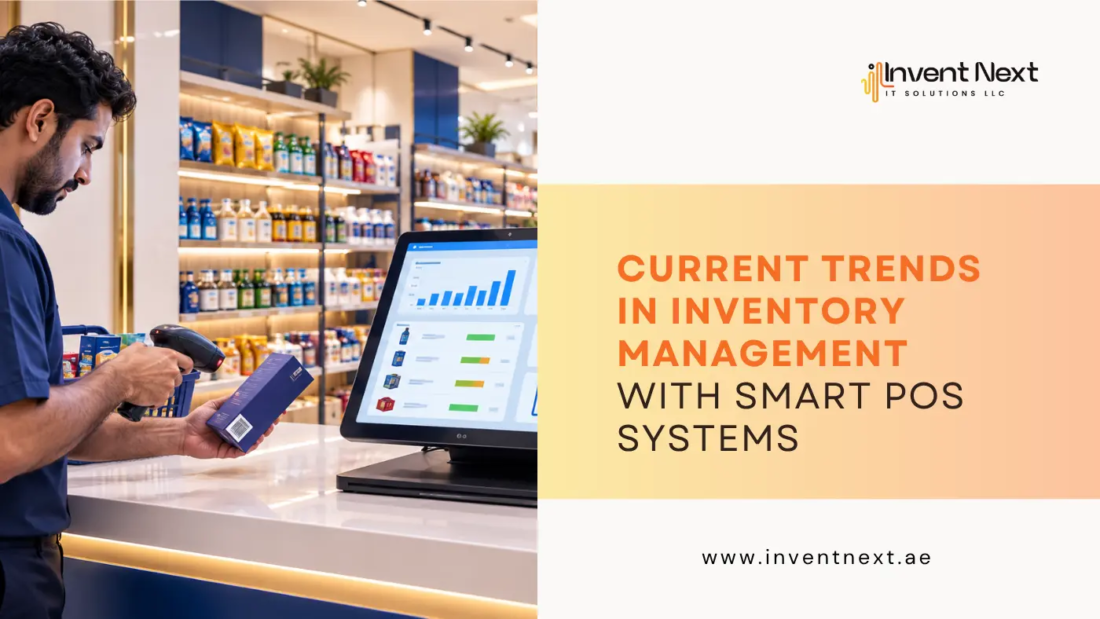
Picture this. It’s a Friday evening, your busiest hour, and a customer asks if you have their favourite item in stock. Your staff disappears into the back room, comes back five minutes later with a shrug, and the customer walks out. That single moment, multiplied across a week, a month, a year, is what’s quietly draining profit out of thousands of retail businesses across the UAE right now. Here’s the good news. That entire scene is avoidable. Inventory management with smart POS systems has moved from being a “nice to have” to the single biggest differentiator between businesses that scale smoothly and businesses that stay stuck, firefighting stock issues every single day. Let’s talk about the current trends in inventory management with smart POS systems.

Why Inventory Management Suddenly Feels Different

A few years ago, inventory management meant a spreadsheet, a physical stock count once a month, and a lot of guesswork. That approach doesn’t survive in today’s retail environment, where customers expect products to be available the moment they want them, whether they’re walking into your store or ordering online.

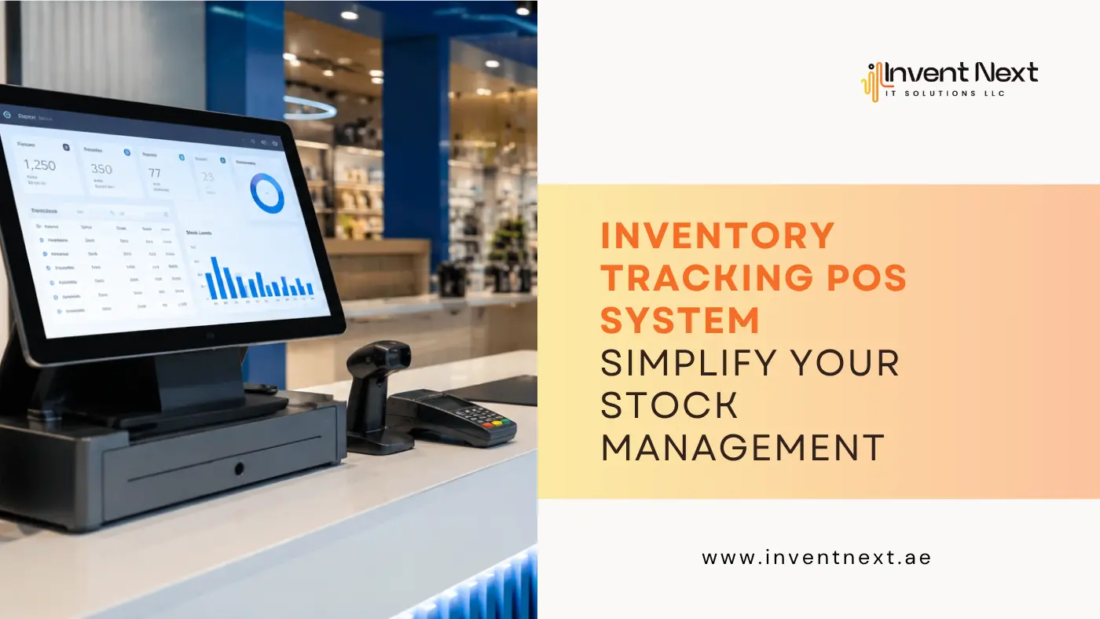
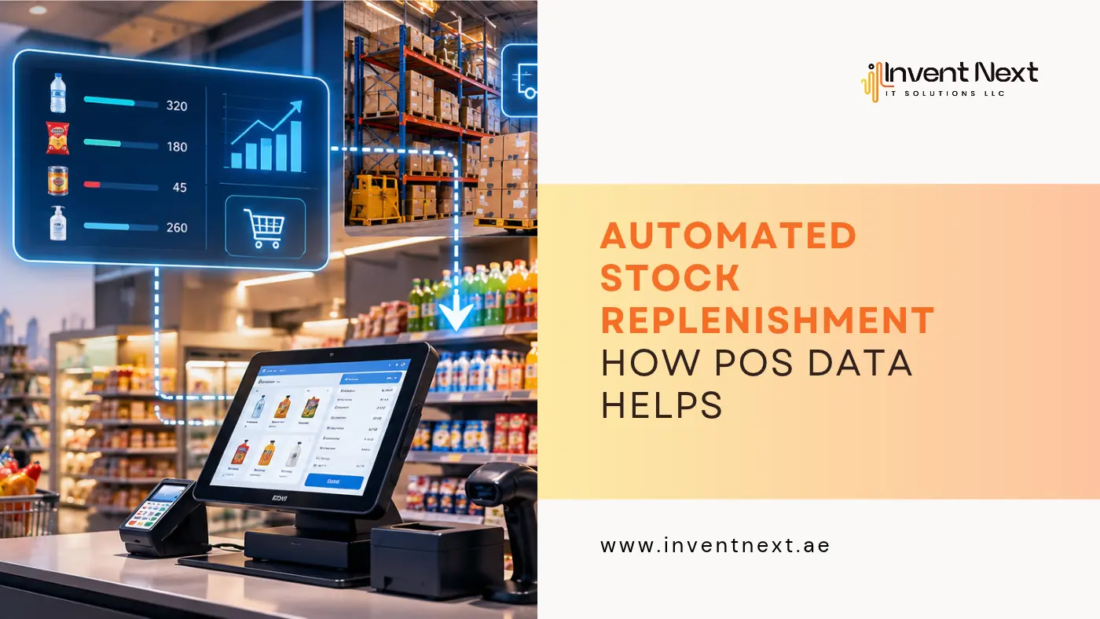
Modern inventory management with smart POS systems brings real-time visibility into every single transaction. Every sale, return, and stock movement updates automatically, which means the guesswork that used to eat into your margins is finally gone. Retailers across the region are catching on fast. Whether it’s a small boutique or a multi-branch supermarket chain, the shift toward connected, data-driven inventory control is no longer optional. It’s simply how competitive businesses operate now.

The Trends Actually Reshaping the Industry

1. Real-Time Stock Syncing Across Locations

If you’re running more than one branch, or even a single store with an online presence, keeping stock levels aligned across channels used to be a nightmare. Smart POS platforms now sync inventory the moment a sale happens, whether it’s in-store or through an app.

This is where a solid POS system Abu Dhabi business owners trust becomes so valuable. It removes the disconnect between what’s on your shelf and what’s showing online, so you never oversell a product you don’t actually have.

2. AI-Powered Demand Forecasting

Instead of ordering stock based on gut feeling, businesses are now using historical sales data to predict what they’ll need next week, next month, or during a specific season.

This matters enormously for seasonal businesses. A supermarket stocking up before Ramadan, or a garage anticipating higher demand during extreme summer heat, can now plan purchasing with real precision instead of educated guessing.

4. Low Stock and Reorder Alerts

Smart systems now flag products before they run out completely, giving you time to reorder without ever hitting a zero stock situation on your bestsellers.

5. Cloud-Based Access From Anywhere

Business owners no longer need to be physically present to check stock. A quick look at a phone or laptop shows exactly what’s happening across every branch, at any time of day.

Industry-Specific Applications Worth Knowing

Different businesses have different inventory headaches, and the right software adapts to that.

Retail and Fashion Stores A reliable retail POS software that retailers depend on tracks sizes, colours, and variants down to the exact SKU, preventing the classic problem of having stock “somewhere” but not knowing exactly where.

Supermarkets and Grocery Chains Perishables, expiry dates, and high transaction volume make grocery retail uniquely demanding. A strong supermarket POS system Abu Dhabi businesses rely on tracks expiry windows automatically and flags items nearing their sell-by date, cutting down on waste and lost revenue.

Warehouses and Distribution Centers For businesses managing large volumes of goods across multiple storage points, a proper warehouse management system that operators use integrates directly with sales data, so stock transfers between warehouse and store happen without manual double entry.

Auto Garages and Spare Parts Businesses Garages deal with thousands of individual parts, many of which look nearly identical. A dedicated auto garage software Abu Dhabi shops use links parts inventory directly to job cards, so mechanics can check part availability before promising a customer a completion date.

Practical Tips to Get More Out of Your POS Inventory Setup

Getting a smart POS system is only half the job. Using it properly is what actually moves the needle. Here are a few practices worth adopting:

  • Set reorder points for every product, not just your bestsellers. Slow-moving items that run out unexpectedly can still disrupt customer trust.
  • Review stock reports weekly, not just at month’s end. Small discrepancies caught early are far easier to fix than a pile-up of errors.
  • Train staff properly on scanning discipline. A system is only as accurate as the data going into it.
  • Use forecasting features before major sales events, especially around holidays or promotional periods.
  • Audit physical stock quarterly, even with automated tracking, since occasional manual checks catch issues that software alone might miss.

The Bigger Picture: Why This Matters for Growth

Businesses that get inventory management with smart POS systems right aren’t just avoiding stockouts. They’re freeing up time, reducing waste, cutting unnecessary reordering costs, and giving customers a consistently reliable experience. That reliability builds trust, and trust is what keeps customers coming back.

In a market as competitive as the UAE, where customers have plenty of choice, the businesses that win aren’t always the biggest. Often, they’re simply the ones that never run out of what the customer actually came for.

Frequently Asked Questions

1. What is inventory management in a POS system?

It’s the process of tracking stock levels, sales, and reordering needs automatically through your point of sale software, rather than relying on manual counts or spreadsheets.

2. How does a smart POS system reduce stock losses?

It gives real-time visibility into what’s selling, what’s running low, and what’s sitting unsold, allowing owners to make faster, more informed purchasing decisions.

3. Is a smart POS system suitable for small businesses?

Yes. Most modern systems are scalable, meaning a small single-branch shop and a large multi-location chain can both use the same core features, just at different scales.

4. Can POS inventory systems handle multiple branches?

Absolutely. Real time syncing across branches is one of the biggest advantages of switching to a cloud based POS setup.

5. Does switching to a new POS system require retraining staff completely?

Most modern systems are designed to be intuitive, so staff typically need only a short onboarding session to get comfortable with day to day use.

If your business is still relying on manual stock counts or disconnected systems, now is a good time to rethink your approach. The right POS setup doesn’t just manage inventory. It gives you back the hours you used to spend chasing down stock problems, and lets you focus on actually growing the business.

Ready to Take Control of Your Inventory?

Invent Next helps retail stores, supermarkets, warehouses, and auto garages across the UAE run smarter, more connected inventory operations, all from one powerful POS platform. From real-time stock syncing to automated reorder alerts, InventNext is built to help you stop guessing and start growing.

Get in touch with Invent Next today for a free demo and see exactly how much time and money smarter inventory management can save your business.

digital-invoice-management

How a POS System Simplifies Digital Invoice Management

Picture this: it’s month-end, and instead of digging through drawers full of crumpled paper receipts, you pull up every transaction from the past 30 days in under a minute. Every invoice is right where it should be. You’re not reaching for a calculator to double-check totals, and there’s no frantic call to your accountant asking where a bill disappeared to. That’s not a fantasy. That’s what happens when businesses finally get digital invoice management right, and honestly, most of them get there through one simple upgrade: a proper point of sale system.

If you’re still juggling handwritten receipts, scattered Excel sheets, or three different apps that don’t talk to each other, this one’s for you.

Why Manual Invoicing Is Quietly Killing Your Efficiency

Let’s be honest. Manual invoicing feels manageable when you’re small. A handful of sales a day, a notebook, maybe a basic spreadsheet. It works until it doesn’t. As soon as your business grows, even slightly, the cracks start showing:

  • Invoices get duplicated or, worse, forgotten entirely
  • Tax calculations become guesswork instead of precision
  • You spend hours reconciling numbers that should have matched from the start
  • Customers wait longer for receipts, which quietly damages their experience

None of this happens because your team is careless. It happens because manual systems were never built to scale. And that’s exactly the gap a modern point of sale system is designed to close.

What Digital Invoice Management Actually Means

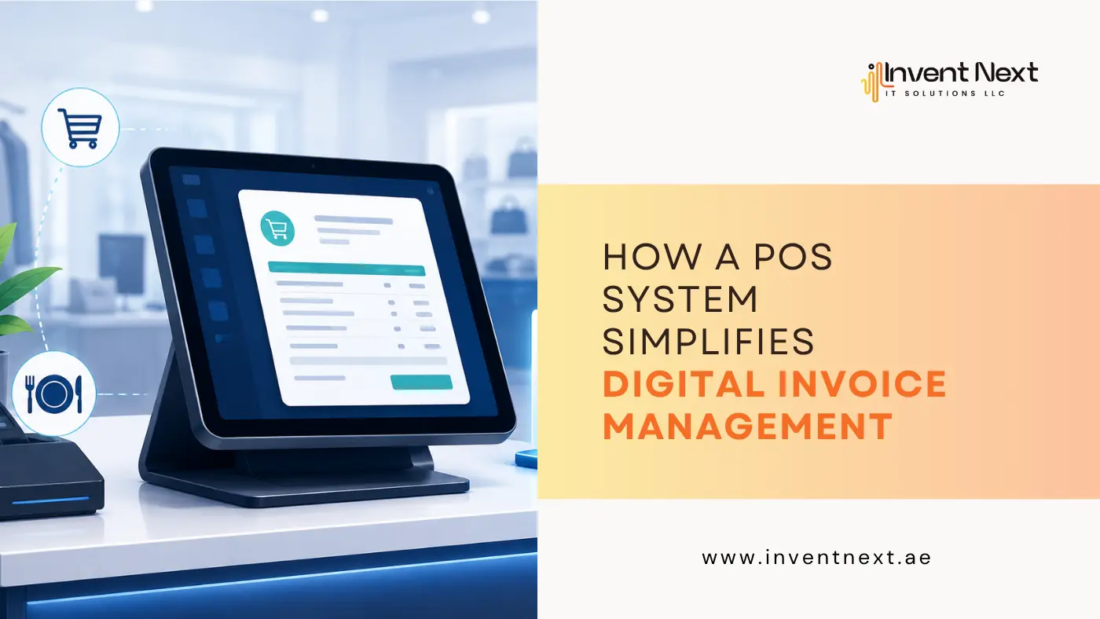
Before we go further, let’s clear something up. Digital invoice management isn’t just about emailing a PDF instead of printing paper. It’s a complete shift in how invoices are created, stored, tracked, and retrieved.

Done right, it means:

  1. Every invoice is generated automatically at the point of sale
  2. Records are stored securely in the cloud, not in a filing cabinet
  3. You can search, filter, and export invoices in seconds
  4. Tax details, discounts, and totals are calculated without human error
  5. Everything syncs with your accounting software in real time

This is where a good POS system genuinely earns its keep.

How a POS System Transforms Invoice Management

Automatic, Error-Free Invoice Generation

The moment a sale happens, the invoice is created. No manual entry, no typos, no forgotten line items. Whether you’re running a boutique, a busy kitchen, or a warehouse, the system pulls product details, pricing, and tax rates directly from your database. This single feature alone eliminates the majority of invoicing errors businesses deal with daily.

Centralised, Searchable Records

Here’s where things get genuinely satisfying. Instead of hunting through folders, every invoice lives in one searchable dashboard. Need last Tuesday’s transactions? Filter by date. Need invoices for a specific customer? Filter by name. It takes seconds, not hours. This is exactly why digital invoice management has become non-negotiable for businesses that value their time.

Real-Time Tax Compliance

VAT rules and compliance requirements shift, and staying on top of them manually is exhausting. A capable POS system Abu Dhabi businesses trust will calculate VAT automatically on every transaction, apply the correct rate, and generate compliant invoices without you lifting a finger. For business owners in the UAE, this isn’t a luxury feature. It’s essential.

Faster Customer Checkout

Nobody enjoys standing at a counter waiting for someone to manually total up a bill. A streamlined invoicing process, powered by good point of sale software UAE businesses actually rely on, speeds up checkout, reduces queues, and keeps customers happier. Happier customers, as it turns out, tend to come back.

Industry-Specific Benefits Worth Knowing

Not every business invoices the same way, and that’s exactly why POS systems have evolved to serve specific industries differently. Restaurants deal with split bills, table transfers, and last-minute order changes. A dedicated restaurant POS software handles all of this while still generating a clean, accurate invoice every single time, even when the order changed three times before it reached the kitchen.

Retail stores face a different challenge entirely: returns, exchanges, and loyalty discounts. Solid retail software tracks every adjustment and reflects it instantly on the invoice, so there’s never a mismatch between what the customer paid and what your books show.

Supermarkets, on the other hand, process hundreds of transactions an hour. A reliable supermarket POS software needs to generate invoices instantly, without slowing down the line, while still capturing every SKU accurately.

And then there’s the backend nobody sees but everybody depends on. A connected warehouse management system ensures that every invoice generated at the counter is backed by accurate stock data, so you’re never invoicing for products that technically don’t exist in inventory anymore.

Expert Tips for Getting the Most Out of Your POS Invoicing

If you want your invoicing to actually work for you rather than against you, keep these in mind:

  • Sync your POS with accounting software so invoices flow directly into your books without manual re-entry
  • Set up automatic backups so you’re never one crashed laptop away from losing months of records
  • Customize invoice templates with your branding to look professional and build trust
  • Train your staff properly on the system, since even the best software fails if people don’t use it correctly
  • Review invoice reports weekly, not just at month-end, to catch discrepancies early

Common Mistakes Businesses Make With Invoicing

Even with great software, businesses trip up in predictable ways:

  1. Ignoring software updates, which often include important tax rule changes
  2. Not training new staff properly, leading to inconsistent invoice entries
  3. Skipping regular data backups, risking total record loss
  4. Using generic software not suited to their industry, forcing awkward workarounds
  5. Failing to integrate their POS with inventory creates invoice mismatches with actual stock

Avoiding these isn’t complicated. It just requires a bit of discipline and the right system from day one.

The Bigger Picture: Why This Matters for Growth

Here’s the thing nobody tells you when you’re starting out: invoicing isn’t just paperwork. It’s data. Every invoice tells you what’s selling, when, and to whom. When your digital invoice management is solid, you’re not just saving time on admin work. You’re building a reliable dataset that helps you make smarter decisions, whether that’s restocking faster-moving items, identifying your best customers, or spotting seasonal trends before your competitors do. That’s the real return on investment. It’s not just cleaner records. It’s better business decisions made faster.

Frequently Asked Questions

1. What is digital invoice management?
It’s the process of creating, storing, and organising invoices electronically through software, rather than relying on paper records or manual spreadsheets.

2. Can a POS system handle VAT compliance automatically?
Yes. A good POS system calculates VAT based on current regulations and applies it correctly to every invoice, reducing the risk of compliance errors.

3. Is POS invoicing suitable for small businesses?
Absolutely. Whether you’re running a small café or a growing retail chain, digital invoicing scales with your business and saves significant time as you grow.

4. How does a POS system help with inventory accuracy?
By connecting to a warehouse management system, every sale automatically updates stock levels, so your invoices always reflect accurate, real-time inventory.

5. What should I look for in POS software for my industry?
Look for software tailored to your business type, whether that’s restaurant, retail, or supermarket operations, along with strong invoicing, reporting, and integration features.

Ready to Simplify Your Invoicing?

Switching to a proper POS system isn’t just about modernising your checkout counter. It’s about giving yourself back the hours you used to spend chasing paperwork, correcting errors, and hoping nothing slipped through the cracks.

Good digital invoice management doesn’t just make your business look more professional. It makes it run smoother, grow faster, and stay compliant without the stress. And honestly, once you experience it, going back to the old way just isn’t an option. If chasing paperwork and fixing invoice errors is eating into your day, it’s time for a change. InventNext offers powerful, easy-to-use POS software built for businesses across the UAE, from restaurants and retail stores to supermarkets and warehouses.

Call +971 552088101 and get accurate invoicing, real-time VAT compliance, and seamless inventory syncing, all in one system built to help your business grow.

boutique-pos-system-invent-next

How to Choose the Right Boutique POS System for Your Business

Running a successful boutique requires more than having beautiful products on display. Behind every smooth customer experience is a well-organised system that keeps track of inventory, sales, customer preferences, and daily operations. As customer expectations continue to rise, boutique owners need technology that helps them work smarter, not harder.

This is where a boutique POS system becomes essential. The right POS solution can simplify store management, improve customer service, and provide valuable business insights that help drive growth. However, with so many options available, choosing the right system can feel overwhelming. Whether you’re launching a new boutique or upgrading your existing retail technology, understanding what to look for can help you make a confident and informed decision.

Why the Right POS System Matters

Many boutique owners initially view a POS system as a tool for processing transactions. While that is certainly an important function, modern POS systems offer much more than payment processing. A good POS system acts as the operational backbone of your business. It helps monitor inventory levels, track sales performance, manage customer information, and generate reports that support better decision-making.

Consider a boutique that sells fashion apparel. Without accurate inventory tracking, popular sizes and styles can quickly sell out without the owner realising it. This can lead to missed sales opportunities and frustrated customers. A reliable POS system prevents these issues by providing real-time inventory visibility.

Start by Identifying Your Business Needs

Before comparing different software providers, take a step back and evaluate your specific business requirements. Every boutique operates differently. A small clothing store with a limited product range may need basic sales and inventory management features. A growing fashion retailer with multiple branches may require advanced reporting, customer loyalty tools, and multi-location management capabilities.

Think about your current challenges and future goals. Are you struggling to track inventory accurately? Do you want better insights into customer buying habits? Are you planning to expand your business in the coming years? The answers to these questions will help narrow your options and ensure you invest in a solution that truly supports your business.

Look for Strong Inventory Management Features

Inventory management is one of the most important functions of any boutique retail operation. Fashion boutiques often manage products in different sizes, colours, brands, and styles. Tracking all of this manually can quickly become time-consuming and prone to errors.

A quality boutique POS system should provide real-time inventory tracking, low-stock alerts, barcode support, and product variant management. These features allow you to monitor stock levels accurately and avoid both overstocking and stock shortages.

Imagine a customer looking for a specific dress in a particular size. Instead of manually searching through shelves, your staff can instantly check availability through the POS system. This creates a better shopping experience while improving operational efficiency.

Prioritize Ease of Use

Even the most advanced POS software can become a burden if it is difficult to use. Your employees interact with the system every day, so it should be intuitive and easy to learn. A complicated interface can slow down transactions, increase training costs, and create frustration for staff members.

When evaluating different solutions, request a demo and test how easily common tasks can be completed. The checkout process should be straightforward, reports should be easy to access, and inventory updates should require minimal effort. The best systems combine powerful functionality with a user-friendly experience.

Consider Scalability for Future Growth

Many boutique owners focus only on their current needs when purchasing a POS solution. This can become a costly mistake as the business grows. A scalable system allows you to add new products, employees, locations, and sales channels without switching platforms. This flexibility becomes increasingly important as your business expands.

For example, retailers searching for a dependable POS system Abu Dhabi often prioritize scalability because they want a solution that can support future growth without disrupting operations. Investing in a scalable platform today can save significant time and money in the future.

Reporting and Analytics Can Transform Decision-Making

Successful retailers rely on data to make smarter business decisions. Modern POS systems provide detailed reports that help you understand sales performance, customer behaviour, and inventory trends. These insights allow you to identify best-selling products, monitor seasonal demand, and optimise purchasing decisions.

For example, if your reports show that a particular product category consistently performs well during specific months, you can prepare inventory accordingly and maximise sales opportunities. Rather than making decisions based on assumptions, you gain access to reliable information that supports long-term business growth.

Don’t Overlook Customer Management Features

Customer loyalty is often the foundation of a successful boutique. Returning customers tend to spend more, purchase more frequently, and recommend your business to others. For this reason, customer relationship features should be an important consideration when choosing a POS solution.

A good system should allow you to maintain customer profiles, track purchase history, and create personalised promotions. These capabilities help strengthen customer relationships and encourage repeat business. Many businesses looking for a trusted retail POS system Dubai value customer management tools because they enable personalised shopping experiences that improve customer retention.

Cloud-Based vs Traditional POS Systems

One of the key decisions you’ll face is choosing between a cloud-based and traditional POS solution. Cloud-based systems offer remote access, automatic software updates, and greater flexibility. Business owners can monitor sales, inventory, and reports from virtually anywhere with an internet connection.

Traditional systems store data locally and may provide greater control over on-site operations. However, they often require more maintenance and may be less flexible as businesses grow. For most modern boutiques, cloud-based solutions offer the convenience and scalability needed to stay competitive.

Common Mistakes to Avoid

Choosing the wrong POS system can create unnecessary challenges and expenses. Some of the most common mistakes include selecting a system based solely on price, ignoring integration capabilities, and overlooking customer support quality. Another frequent mistake is failing to consider future growth. A system that works well today may become restrictive as your business expands.

Businesses evaluating a reliable POS system Abu Dhabi often place significant importance on local support availability, ensuring they receive timely assistance whenever technical issues arise. Taking the time to evaluate your options carefully can help you avoid these costly mistakes.

FAQ

What is a boutique POS System?

A boutique POS system is a retail management solution designed specifically to help boutiques manage sales, inventory, customer information, payments, and business reporting from a single platform.

How does a POS system improve inventory management?

A POS system automatically updates inventory levels after every sale, helping prevent stock discrepancies, overstocking, and product shortages.

Is a cloud-based POS system suitable for boutiques?

Yes. Cloud-based POS systems offer flexibility, remote access, automatic updates, and scalability, making them ideal for most modern boutiques.

Can a POS system help increase sales?

Yes. By improving customer experiences, streamlining operations, and providing valuable sales insights, a POS system can contribute to increased revenue and customer retention.

How do I choose the best POS system for my boutique?

Focus on factors such as inventory management, reporting capabilities, ease of use, customer management tools, scalability, and support services. The best solution will align with your business needs and growth plans.

Conclusion

Choosing the right POS system is one of the most important investments a boutique owner can make. The ideal solution should do more than process transactions. It should help you manage inventory efficiently, understand customer behaviour, streamline operations, and support long-term growth.

By carefully evaluating your business needs, prioritising usability, and selecting a system that can scale with your business, you can build a stronger foundation for future success. The right technology not only improves daily operations but also helps create the exceptional customer experiences that keep shoppers coming back.

Choosing the right boutique POS system does not have to be complicated. InventNext makes it simple for boutiques across Dubai and Abu Dhabi to get set up, stay compliant, and sell smarter. Contact +971552088101 now and book your consultation.

portable-pos-system-for-small-business

What Is a Portable POS System for Small Business and How Does It Work?

Imagine you’re running a busy weekend market stall. Customers are lined up, card in hand, ready to pay. But your clunky counter-based register is back at the shop, and all you have is your phone and a small card reader. Does that stop you from making a sale? Not anymore. That’s exactly where a portable POS system for small business changes the game. It puts the power of a full checkout experience right in your pocket, whether you’re at a pop-up event, a client’s doorstep, or a busy food truck corner. No wires, no fixed counters, no missed sales.

But what exactly is a portable POS system? How does it work, and is it the right fit for your business? Let’s break it all down.

What Is a Portable POS System?

A portable point-of-sale (POS) system is a mobile, wireless version of a traditional cash register and payment terminal. Instead of being tied to a fixed checkout desk, it lets you process transactions from almost anywhere using a tablet, smartphone, or handheld device.

At its core, it handles everything a standard POS does:

  • Accepting payments (card, cash, contactless, or digital wallets)
  • Generating receipts via SMS, email, or print
  • Tracking inventory in real time
  • Generating sales reports and analytics
  • Managing customer data and loyalty programs

The difference is freedom. You’re not anchored to one spot. You go where the customer is.

How Does It Actually Work?

A portable POS system typically runs on a mobile app or cloud-based platform. Here’s a simple breakdown of how it functions:

1. Hardware Setup You connect a card reader (via Bluetooth or USB-C) to your phone or tablet. Some systems come as an all-in-one handheld device.

2. Cloud Software The system runs on cloud-based POS software, meaning your data is stored online, not on a local server. This allows real-time syncing across multiple devices and locations.

3. Payment Processing When a customer pays, the system communicates securely with payment gateways to authorise the transaction within seconds. It supports chip cards, tap-to-pay, QR codes, and more.

4. Data Sync Every sale, every stock movement, every customer interaction is automatically logged and updated in your dashboard. You can access this from any device, anywhere.

5. Reporting At the end of the day, you get clear insights: top-selling items, peak hours, revenue totals, and more. All without manually counting anything.

Why Small Businesses Are Making the Switch

The appeal of a portable POS system for small business goes beyond convenience. It directly impacts your revenue and customer experience.

Faster Checkouts Mean Happier Customers

Long queues kill conversions. A portable POS lets your staff process payments tableside, curbside, or anywhere on the floor. Restaurants using Restaurant POS software Dubai solutions have seen notable reductions in wait times simply by moving payment processing to the table.

Real-Time Inventory Control

Every item sold is automatically deducted from your stock. No more end-of-day reconciliation headaches. For a retailer using a Retail POS system Dubai platform, this kind of real-time accuracy can prevent overselling and stockouts.

Lower Setup Costs

Traditional POS setups require hardware, wiring, IT support, and dedicated counter space. A portable system needs none of that. A smartphone and a card reader are often enough to get started.

Flexibility Across Locations

Whether you have one shop or five, your data lives in the cloud. You can monitor every outlet from a single dashboard. Businesses using a POS system Abu Dhabi have found this particularly useful for managing seasonal pop-up locations without investing in new hardware.

Which Businesses Benefit the Most?

Not every business has the same needs, but portable POS systems are genuinely useful across a wide range:

  • Food & Beverage: Cafés, food trucks, catering teams, and fast-casual restaurants
  • Retail: Boutiques, pop-up shops, market stalls, and multi-location stores
  • Supermarkets: High-volume stores benefit from queue-busting mobile checkout lanes. Solutions built for POS systems for supermarket Dubai typically include barcode scanning, weight-based pricing, and loyalty integration
  • Automotive: Garages and repair shops need more than just payment tools. Garage software in Dubai often integrates with portable POS to manage job cards, parts inventory, and service histories from a mobile device right at the vehicle bay
  • Service Businesses: Plumbers, technicians, delivery teams, and field agents who invoice and collect payment on the spot

Common Mistakes to Avoid

Even the best tools can underperform if used incorrectly. Here are some mistakes small business owners often make when adopting a portable POS:

  • Choosing hardware without checking software compatibility. Not all card readers work with every app. Always verify integration before buying.
  • Ignoring offline functionality. Wi-Fi and mobile data aren’t always reliable. Choose a system that can process payments offline and sync later.
  • Skipping staff training. A system is only as good as the person using it. Dedicate time to proper onboarding.
  • Overlooking security features. Make sure your POS provider is PCI-DSS compliant and offers encrypted transactions.
  • Not tracking data. Many business owners collect data but never review it. Your sales reports are a goldmine for making smarter decisions.

FAQ

Do I need an internet connection to use a portable POS? 

Most portable POS systems require an internet connection for full functionality, but many offer an offline mode that lets you continue accepting payments during downtime. Transactions sync automatically once connectivity is restored.

Is a portable POS system secure for processing card payments? 

Yes, provided you choose a system that is PCI-DSS compliant. Look for end-to-end encryption, tokenisation, and two-factor authentication to keep customer data and transactions safe.

Can a portable POS replace a full counter-based system? 

For many small businesses, yes. If your transaction volume is manageable and you don’t need dedicated hardware like large receipt printers or customer-facing screens, a portable system can fully replace a traditional setup.

How much does a portable POS system cost? 

Costs vary widely. Basic setups with a card reader and free app can start at almost nothing, while feature-rich platforms with monthly subscriptions typically range from AED 100 to AED 500+ per month, depending on features and number of users.

Can I manage multiple business locations with one portable POS account? 

Most modern cloud-based POS platforms support multi-location management from a single account. You can track inventory, sales, and staff performance across all outlets in one dashboard.

The Bottom Line

The way businesses accept payments has changed permanently. Customers expect fast, frictionless checkouts, whether they’re at a restaurant, a retail shop, or a repair garage. A portable POS system delivers exactly that, while also giving you better data, tighter inventory control, and the flexibility to operate wherever your business takes you.

If you’ve been putting off making the switch, the barrier to entry has never been lower. Start small, learn the system, and scale as your confidence grows. The right POS setup doesn’t just process payments; it helps you run a smarter, more profitable business.

Ready to upgrade your business with a smarter POS solution? Call +971552088101. Get in Touch with InventNext Today

best pos system for salon businesses

How to Choose the Best POS System for Salon Businesses

The salon industry has changed dramatically over the last few years. Today’s clients expect more than a great haircut or a clean facial. They want quick bookings, smooth payments, digital receipts, loyalty rewards, and an experience that feels personal every single time. Managing all of that manually? It burns you out fast. This is where the best POS system for salon businesses becomes essential. A modern POS does far more than billing. It helps you manage appointments, track inventory, monitor staff performance, and handle customer data from one clean platform. Whether you run a small beauty studio or a multi-branch chain, the right POS system helps you grow without the chaos.

Why Salons Need a Smart POS System

Many salon owners are still juggling spreadsheets, paper appointment books, and disconnected apps. It works until it does not. Booking errors, inventory confusion, payment delays, and unhappy clients follow quickly after. A salon-focused POS brings everything under one roof.

Here is what it manages daily:

  • Appointment scheduling
  • Billing and invoicing
  • Customer relationship management
  • Inventory tracking
  • Staff attendance and performance
  • Loyalty programs
  • Sales reporting
  • Online payment integration

The best POS system for salon businesses gives you less time firefighting and more time actually serving clients.

Features to Look for in a Salon POS System

Not every POS solution understands how salons actually work. Here is what genuinely matters:

Appointment and Booking Management: Calendar integration with automated reminders reduces no-shows and keeps your day running on schedule.

Inventory management: Salons burn through product fast. Real-time stock tracking, low-stock alerts, and supplier management stop shortages before they happen.

Customer Database and Loyalty Programmes: Knowing a client’s preferred stylist, last service, and birthday is what turns a one-time visitor into a loyal regular.

Staff Management: Track commissions, attendance, and daily performance without chasing anyone for numbers at the end of the week.

Secure Payment Integration: Cards, contactless, and digital wallets. Clients expect options, and a good POS delivers them without friction.

Benefits of Using the Best POS System for Salon Businesses

Faster Billing: Busy Saturday afternoons do not have time for slow checkouts. A smart POS speeds up transactions and eliminates manual errors.

Better Client Experience Quick payments, timely reminders, and personalised loyalty rewards keep clients coming back without you having to chase them.

Smarter Inventory Control: Stop over-ordering and stop running out mid-service. Real-time tracking keeps your stock exactly where it needs to be.

Data-Driven Decisions: Sales trends, peak hours, top-performing services. The numbers are all there if your software knows how to show them.

Multi-Branch Management: Many businesses using a POS system in Abu Dhabi prefer cloud-based platforms that let owners oversee multiple locations from one dashboard without being physically present.

Mistakes to Avoid When Selecting Salon POS Software

Choosing Based Only on Price: A cheap system that lacks appointment scheduling or inventory tracking will cost you more in lost time than you saved upfront.

Ignoring Scalability: Planning to open another branch? Make sure your POS grows with you rather than forcing a full replacement later.

Not Checking Integrations: Your booking platform, accounting software, and payment gateway need to talk to each other. Confirm compatibility before committing.

Skipping Staff Training: Even excellent software fails when the team does not know how to use it. Proper onboarding is not optional.

Businesses searching for reliable point-of-sale software UAE should always prioritise usability, support quality, and features built specifically for their industry.

Expert Tips for Choosing the Right Salon POS

Go Cloud-Based: Remote access, automatic updates, and multi-location support make cloud POS the obvious choice for any salon thinking beyond today.

Always Request a Demo: A live walkthrough reveals usability issues that a brochure never will. Test it before you buy it.

Prioritise Client Experience Features: Automated reminders, loyalty rewards, and digital invoices are not extras. They directly impact how often clients return.

Take Reporting Seriously: Know which services make the most money, which hours are busiest, and which staff members are performing. That information already exists in your data.

Many salons comparing a retail POS system UAE solution choose platforms that combine billing, CRM, inventory, and analytics in one place rather than piecing together separate tools.

How Salon POS Systems Are Evolving

Modern POS platforms are genuinely impressive now. Beyond standard billing, today’s systems include:

  • Online appointment booking
  • WhatsApp notifications
  • QR code payments
  • Digital membership plans
  • Mobile POS billing
  • Customer feedback tools

In competitive markets, businesses using a modern retail POS system Dubai consistently deliver faster service and better client experiences than those still relying on outdated setups.

FAQ

What is the best POS system for salon businesses?

It depends on your size and services, but look for appointment scheduling, inventory tracking, CRM, and payment integration as non-negotiables.

Can a salon POS manage appointments?

Yes. Most modern systems include booking tools, automated reminders, and full calendar management.

Is cloud-based POS better for salons?

Generally yes. Remote access, real-time updates, and centralised management make it the practical choice for most salon owners.

How does a POS improve client retention?

By storing client history, automating loyalty rewards, and enabling personalised service every single visit.

Can salon POS handle inventory?

Yes. Stock levels, supplier details, usage tracking, and automated alerts are all standard in good platforms today.

Conclusion

Great service alone does not build a thriving salon. The operational side matters just as much. The best POS system for salon businesses helps you run cleaner, serve clients better, and make decisions based on real data rather than gut feeling. From bookings to billing to business intelligence, the right software changes everything.

If you are ready for a POS solution built specifically for salons and retail businesses, call +971552088101 and connect with Invent Next today and discover how the right technology helps your business grow faster and operate smarter.

pos merchant card services

How POS Merchant Card Services Help Manage Sales Efficiently

Walk into any busy store on a Friday evening in Dubai. The queue is long, the staff is stretched, and customers are impatient. The one thing standing between a smooth checkout and a frustrated walkout? The point of sale setup. A slow, clunky system does not just delay transactions. It costs you sales, damages your reputation, and quietly bleeds your business dry.

This is exactly why smart retailers, supermarkets, and service businesses across the UAE are investing in better technology at the checkout. And at the heart of that upgrade is understanding how POS merchant card services work and why they matter far more than most business owners realise.

What Are POS Merchant Card Services and Why Do They Matter?

At their core, POS merchant card services refer to the complete ecosystem that allows a business to accept card payments at the point of sale. This includes the hardware (card terminals, readers, and receipt printers), the software (the platform processing and recording each transaction), and the payment gateway connecting your terminal to the banking network.

But in 2026, it is much more than just swiping a card. A modern POS setup tracks inventory in real time, generates detailed sales reports, manages employee shifts, handles loyalty programs, and syncs with your accounting software. It is essentially the nervous system of your retail operation.

For businesses in the UAE, where consumer expectations around speed and convenience are genuinely high, having the right system is not optional. It is a competitive necessity.

How POS Systems Transform Day-to-Day Sales Management

Faster Transactions, Happier Customers

Speed matters at the checkout. Research consistently shows that long queues are one of the top reasons customers abandon a purchase or avoid returning to a store. A well-configured POS terminal processes card payments in seconds, reducing wait times significantly and keeping foot traffic moving.

For a high-volume environment like a supermarket, this difference is enormous. Supermarket POS software in Dubai built for large SKU counts and rapid scanning can process hundreds of transactions per hour without slowdowns, errors, or system crashes.

Real-Time Inventory Visibility

One of the most underrated benefits of a modern POS system is what it does behind the scenes. Every time a product is sold, the inventory count updates automatically. Staff no longer need to manually check stock levels or guess what needs reordering.

This is particularly valuable for retail businesses managing hundreds or thousands of product lines. A retail POS system Dubai with smart inventory features can send low-stock alerts, generate purchase orders automatically, and even identify slow-moving items that are tying up shelf space and capital.

Accurate Sales Reporting Without the Guesswork

Ask any business owner what their best-selling product was last Tuesday afternoon, and most will struggle to answer. With a proper POS setup, that information is available in seconds.

Daily, weekly, and monthly sales reports are generated automatically. You can break down performance by product category, staff member, time of day, or payment method. This kind of data takes the guesswork out of buying decisions, staffing choices, and promotional planning.

Key Benefits of Upgrading Your POS Setup

Here is a clear picture of what businesses consistently gain after making the switch to a modern system:

  • Reduced human error at the checkout through automated pricing and barcode scanning
  • Faster end-of-day reconciliation because every transaction is logged digitally
  • Better customer experience through quicker service and flexible payment options
  • Stronger fraud protection through encrypted card processing and audit trails
  • Scalability to add new terminals, locations, or product lines without disruption
  • Integration with accounting tools like Tally or Zoho Books for seamless financial management

POS Systems Across Different Business Types in the UAE

Retail Stores

For a clothing boutique, electronics shop, or pharmacy, a retail POS system Dubai needs to handle barcode scanning, size and variant tracking, discount management, and customer purchase history. The right system makes upselling easier and returns far less painful to process.

Supermarkets and Grocery Stores

Volume and speed are everything in this environment. Supermarket POS software in Dubai must handle high transaction counts, weighed items, promotions on specific product bundles, and multiple payment types simultaneously. Downtime is simply not an option when dozens of customers are in line.

Businesses in Abu Dhabi

The demand for reliable checkout technology is just as strong outside Dubai. A POS System Abu Dhabi needs to meet the same standards of speed, reliability, and reporting, particularly as Abu Dhabi continues to grow its retail and hospitality sectors aggressively. Local businesses are increasingly moving away from legacy cash register setups towards fully integrated cloud-based POS platforms.

Common Mistakes Businesses Make with POS Setup

Even businesses that invest in good hardware often fall short in implementation. Here are the mistakes worth avoiding:

1. Choosing hardware without considering software: The terminal is just the face of the system. The software behind it determines what data you capture, how you report it, and what integrations are possible. Always evaluate both together.

2. Skipping staff training: A powerful POS system used incorrectly is worse than a basic one used well. Invest time in proper onboarding for every team member who touches the terminal.

3. Ignoring after-sales support: When your system goes down on a busy Saturday, you need a support team that picks up the phone. Always check the vendor’s support response times before signing a contract.

4. Not reviewing reports regularly: The data your POS generates is only valuable if someone is actually reading it. Set a weekly habit of reviewing your top-line sales figures, inventory alerts, and payment method breakdowns.

Expert Tips for Getting the Most Out of Your POS System

These are practical habits that high-performing retail businesses consistently apply:

  • Run a full system backup at the end of every trading day
  • Use your POS data to plan promotions around your actual peak sales hours
  • Set up automatic reorder triggers for your top 20 fastest-moving products
  • Review your payment method split monthly to understand how your customers prefer to pay
  • Use staff-level sales reporting to identify your strongest performers and coach those who need support

Frequently Asked Questions

What is the difference between a POS terminal and POS software?

A POS terminal is the physical device used to process payments, such as a card reader or touchscreen till. POS software is the program running on or connected to that device, handling sales recording, inventory, reporting, and integrations. You need both working together for an efficient setup.

Are POS merchant card services suitable for small businesses?

Absolutely. Modern POS merchant card services are available at various price points and can be scaled to suit a single-terminal small shop just as effectively as a multi-location retail chain. Many providers offer entry-level packages specifically designed for growing businesses.

How secure are card payments through a POS system?

Reputable POS systems use end-to-end encryption and comply with PCI DSS (Payment Card Industry Data Security Standard) requirements. This means card data is protected throughout the transaction and never stored in a way that creates risk for the customer or the business.

Can a POS system work without an internet connection?

Many modern systems offer an offline mode that continues processing sales locally during connectivity interruptions, then syncs the data once the connection is restored. This is an important feature to confirm with your provider before committing.

How long does it take to set up a new POS system?

For most retail businesses, a standard setup including hardware installation, software configuration, and product loading takes between one and three days. More complex setups with large product catalogues or multiple terminals may take slightly longer.

Upgrade Your Business with Invent Next IT Solutions

The checkout is not just the last step of a sale. It is the last impression your business leaves on a customer. Investing in the right POS merchant card services is one of the highest-return decisions a retail or hospitality business can make in today’s market. It saves time, reduces errors, surfaces insights you would otherwise never see, and quietly builds the kind of customer experience that brings people back.

If you are serious about running a smarter, faster, and more profitable operation, Invent Next IT Solutions in Abu Dhabi is the partner you need. From POS hardware and software setup to ongoing technical support, Invent Next delivers end-to-end solutions built specifically for retail and hospitality businesses across the UAE.

Call +971552088101 to get in touch with Invent Next IT Solutions today and discover the right POS setup for your business.

best credit card POS for small business

How to Choose the Best Credit Card POS for Small Business

Selecting the best credit card POS for small business is a critical decision that directly impacts operational efficiency, customer experience, and overall profitability. Modern POS systems go far beyond basic payment processing, offering integrated tools for inventory management, sales reporting, and business analytics. For small business owners, the challenge lies in identifying a solution that not only meets current requirements but also supports future growth without adding unnecessary complexity.

This guide provides a structured approach to evaluating and choosing the best credit card POS for small business. By focusing on essential features, usability, scalability, and cost-effectiveness, you can make an informed decision that aligns with your business model and long-term objectives.

Why Your POS System Is More Than Just a Payment Tool

A modern POS does far more than process cards. It tracks your inventory, records your best-selling items, monitors staff performance, and gives you a clear picture of how your business is really doing, all from one dashboard.

Point of sale software helps businesses manage billing, sales tracking, and inventory in a single system, improving accuracy and daily efficiency. Modern point of sale software also supports digital payments, reporting, and faster checkout experiences for customers. The question is not whether you need a POS system. You do. The question is which one fits your business best.

Start With What Your Business Actually Needs

Before you compare features or pricing, step back and think about your daily operations. A restaurant owner has very different needs from a boutique clothing store. A supermarket needs barcode scanning and bulk inventory tools. A salon needs appointment integration.

Ask yourself:

  • How many transactions do you process per day?
  • Do you manage multiple product categories or variants?
  • Do you have more than one location or plan to expand?
  • Do your customers pay with cards, cash, digital wallets, or all three?

Your answers will shape everything that comes next.

Key Features That Separate Good POS Systems from Great Ones

Payment Flexibility

This one is non-negotiable. The best credit card POS for small business must support credit cards, debit cards, contactless tap-to-pay, and QR code payments. Customers expect options, and a system that limits how they can pay will cost you sales.

Real-Time Inventory Management

Manually updating stock levels is time-consuming and error-prone. A capable system updates inventory automatically with every sale, sends low-stock alerts, and helps you plan your purchasing decisions. Businesses that work with established POS system suppliers in UAE consistently highlight this as one of the top reasons they upgraded their systems.

Cloud Access and Remote Reporting

Being tied to an on-site terminal means you can only see your business when you’re physically there. Cloud-based systems let you check sales reports, track inventory, and review performance from your phone or laptop, wherever you are.

Easy Staff Training

A complicated interface slows your team down. If your staff needs a week to learn the basics, the system is already costing you productivity. Look for a clean, intuitive layout that most people can pick up within a day.

What Businesses in the UAE Are Prioritizing Right Now

Across the region, business owners are increasingly demanding systems that go beyond basic payment processing. Those exploring POS system Abu Dhabi options are looking for platforms that integrate with accounting tools, support VAT reporting, and provide customer data analytics.

For those in the food and grocery space, Supermarket POS software in Dubai has become highly specialized, with features like weight-based pricing, loyalty programs, and rapid barcode scanning built specifically for high-volume environments.

Common Mistakes to Avoid

  • Choosing based only on price. Low-cost systems often lack critical features or reliable support. Focus on long-term value.
  • Skipping the demo. Always test the system before committing. What looks good in a brochure may feel clunky in real life.
  • Ignoring integration. Your POS should connect smoothly with your accounting software, eCommerce platform, and payroll tools.
  • Not planning for growth. A system that works for one location should also support five. Choose something scalable.

Expert Tips Before You Buy

Business owners who have been through multiple POS upgrades offer this consistent advice: read real customer reviews from businesses your size, ask specifically about downtime and technical support response times, and confirm whether software updates are automatic or come at an extra cost.

For retail operations, dedicated retail POS system Dubai solutions will almost always outperform generic platforms because they are built around the specific workflows retailers deal with every day.

FAQ

What makes a POS system right for a small business?

Look for ease of use, payment flexibility, inventory management, cloud access, and strong customer support. The best credit card POS for small business balances features simplicity.

Is cloud-based better than on-site POS?

For most small businesses, yes. Cloud systems offer remote access, automatic updates, and easier scaling as your business grows.

How long does it take to set up a new POS system?

Most modern systems can be set up within a day or two. Some providers offer on-site installation and staff training as part of their service package.

What is the average cost of a POS system for small businesses in the UAE?

Costs vary widely depending on features and hardware. Rather than chasing the lowest price, invest in a system that covers your core needs and has room to grow with you.

Do POS systems support VAT compliance in the UAE?

Quality systems designed for the UAE market include built-in VAT reporting to keep your records accurate and audit-ready.

Ready to Find the Right POS System?

Your POS system is not just a checkout tool. It is the operational heart of your business, and choosing the wrong one creates friction every single day. The best credit card POS for small business is the one that fits how you actually work, supports your team, and gives you the data you need to keep improving.

At Invent Next, we help businesses across the UAE find POS solutions that actually fit the way they work.

  • Tailored solutions for your industry
  • Seamless setup and staff training
  • VAT compliance and accounting integration
  • Reliable local support, always

Call +971 552088101 and get in touch with Invent Next today for a free consultation and take the first step toward smarter business operations.

pos-machine-touch-screen-not-working

POS Machine Touch Screen Not Working: Causes, Fixes, and Smart Business Solutions

A point-of-sale system is the operational core of modern businesses. From billing and inventory to customer management, everything flows through it. When you encounter a POS machine touch screen not-working issue, it is not just a technical glitch. It is a direct interruption to your revenue stream and customer experience.

Whether you run a retail outlet, restaurant, or warehouse, even a short downtime can create long queues, frustrated customers, and lost sales. This blog explains why these issues happen, how to fix them efficiently, and what businesses can do to prevent them in the future.

Why Touch Screen Issues Should Not Be Ignored

Transactions are not the only thing impacted by a non-responsive POS screen. The entire workflow is disrupted. Order processing may be difficult for staff, billing errors may rise, and overall service quality may decline.

Speed is crucial in high-volume settings. Over the course of a day, even a few seconds of transactional delay can add up to major operational inefficiencies.

Common Causes of POS Touch Screen Problems

By determining the foundation of your issue, you can work more professionally and efficiently on finding a solution. 

Physical/Hardware Problems.

One of the main reasons for the touch screen not working on your POS machine is due to physical damage to the touch screen. Damage can include cracks, wear on internal components, or pressure damage.

Software Glitches / Issues with the Code.

If your POS machine has not been updated in a while or has bugs due to temporary glitches, you might run into issues with the touch screen not responding to your touch. Software glitches often occur after an update has occurred or if the unit has not been shut down properly.

Calibration Errors

If your touch screen is not calibrated correctly, you may have issues with registering touches on the screen properly or accurately. If this situation occurs, using the unit will be difficult.

Environmental Factors

Dust/grease and moisture are all common factors within a business. Dust, grease, and moisture can also interfere with touch sensitivity over a period of time.

Driver or Firmware Issues

Corrupted drivers and outdated drivers can affect communication between the touch screen and the computer.

Practical Fixes You Can Try

There are a few easy things you can do before you call tech support:

  • Restart the POS machine; this will clear temporary problems
  • Wipe the screen with a microfiber cloth and a suitable cleaner
  • Look for any noticeable damage to the screen
  • Recalibrate the touch screen by going into your system settings
  • Update the POS software and firmware

If these steps do not resolve the issue, it likely requires professional attention.

When to Seek Expert Help

In certain cases, temporary solutions are insufficient. Professionals should be consulted if the touch screen continues to be unresponsive or exhibits inconsistent behavior.

Recurring failures, obvious hardware damage, or persistent problems are clear signs that your system needs a more thorough examination. Ignoring these indicators may result in total system failures.

Industry Relevance and Real-World Impact

POS systems are widely used across industries, and touch screen reliability is critical in each case.

In restaurants, fast order processing is essential to maintain service quality. Many businesses rely on advanced systems like restaurant Pos software Dubai to streamline operations, but hardware efficiency remains equally important.

Retail stores depend heavily on quick billing processes. A stable retail POS system UAE ensures seamless customer checkout, but a malfunctioning screen can bring operations to a halt.

Supermarkets handle high transaction volumes daily. Businesses using supermarket POS software in Dubai must maintain flawless POS functionality to avoid long queues and customer dissatisfaction.

Automotive service centers rely on integrated tools like garage software in Dubai for job tracking and billing. A non-functional touch screen can disrupt workflow and delay service delivery.

Warehousing operations also depend on POS integrations. Systems connected with warehouse management software in Dubai require consistent hardware performance for inventory and dispatch accuracy.

Preventive Maintenance for Long-Term Performance

In order to prevent unplanned failures, routine maintenance is essential. Proactive POS system maintenance reduces interruptions and improves efficiency for businesses.

Simple but efficient procedures include cleaning the screen every day, making sure employees handle it properly, and updating the software. Purchasing safety gear and a reliable power source also contributes to the device’s longer lifespan.

Repair vs Replacement: What Should You Choose?

Sometimes businesses face a critical decision between repairing an existing system or upgrading to a new one. The choice depends on cost, frequency of issues, and business needs.

Here is a quick comparison:

FactorRepairReplacement
CostLower initiallyHigher upfront
LongevityTemporary solutionLong-term reliability
PerformanceMay remain inconsistentImproved efficiency
DowntimePossible recurring issuesMinimal after setup

If your system frequently faces a POS machine touch screen not working issue, upgrading may be the more practical and cost-effective solution in the long run.

Business Benefits of a Reliable POS System

A fully functional POS system contributes directly to business success. It improves speed, accuracy, and customer satisfaction. Reliable systems help businesses:

  • Process transactions faster
  • Reduce billing errors
  • Enhance staff productivity
  • Deliver better customer experiences

In competitive markets, these advantages can significantly impact growth and profitability.

FAQs

What causes a POS touch screen to stop working?

It can be due to hardware damage, software glitches, calibration issues, or environmental factors like dust and moisture.

Can I fix the issue without technical support?

Basic troubleshooting, such as cleaning, restarting, and updating software, can resolve minor issues.

How do I know if my POS needs replacement?

If problems occur frequently and repairs are costly, replacing the system is usually the better option.

How often should POS systems be maintained?

Regular cleaning and periodic technical checks are recommended to ensure optimal performance.

About Invent Next

Delivering modern POS and business software solutions suited to the current operational requirements is Invent Next’s area of expertise. The company focuses on scalability. dependability, and user-friendly systems that help businesses increase productivity and decrease downtime.

With a strong focus on innovation and customer service, Invent Next makes sure that companies have the resources they require to run efficiently and expand with assurance.

Conclusion

A POS machine touch screen not working issue is more than just a minor inconvenience. It is a disruption that can affect your entire business operation. Identifying the root cause, applying the right fixes, and maintaining your system properly are essential steps to ensure uninterrupted performance.

As businesses grow, investing in reliable and modern POS solutions becomes increasingly important. Addressing issues early and upgrading when necessary can save both time and money while improving customer satisfaction.

Looking to upgrade or fix your POS system? Call +971 552088101 today to speak with our experts and find the right POS solution for your business.

Maintenance Software for Garage Workshops

Predictive Maintenance Software for Garage Workshops in the UAE

Predictive Maintenance Software for Garage Workshops in the UAE & Gulf Region

The automotive service industry in the UAE and wider Gulf region is evolving rapidly. With growing vehicle ownership, increasing customer expectations, and pressure on garage workshops to deliver faster, more accurate repairs, the need for advanced digital tools is stronger than ever. Traditional POS billing systems no longer support the complexity of modern workshops. Today, the real competitiveness comes from Predictive Maintenance Software for Garage Workshops, which empowers service centers to anticipate issues, optimize job scheduling, improve operational efficiency, and reduce downtime.

This blog explores how predictive analytics, job-card data, IoT connectivity, and workflow automation are reshaping garage operations in the UAE. It also explains why predictive technologies provide a long-term strategic advantage to automotive businesses in Dubai, Abu Dhabi, Sharjah, and other Gulf markets.

Why the UAE Garage Industry Needs Predictive Maintenance

The UAE has become a leading automotive hub in the Middle East. Cities like Dubai and Abu Dhabi have high volumes of luxury cars, fleet vehicles, taxis, and commercial transport relying on regular service. However, many workshops still depend on manual diagnostics, reactive maintenance, and outdated billing-only software.

This is where Predictive Maintenance Software for Garage Workshops becomes a game-changer. Instead of waiting for breakdowns, workshops use data-driven insights to detect early symptoms of mechanical issues and address them before they lead to major repairs or customer complaints.

Why Traditional POS Systems Are Not Enough

A basic POS system is limited to billing, estimating, and generating invoices. While useful, it does not assist in diagnosis, maintenance planning, or performance monitoring. Modern garages need more than just invoices—they need automation, analytics, and predictive capabilities.

Challenges with traditional systems include:

  • No integration with diagnostic tools
  • No forecasting or predictive insights
  • Lack of maintenance history analysis
  • Manual job-card updates
  • Inaccurate spare-parts forecasting
  • Difficulty managing workflow and technician performance

The UAE’s automotive market is highly competitive, and workshops that fail to adopt digital tools risk falling behind. This has accelerated the adoption of solutions such as Predictive Maintenance Software for Garage Workshops, which connects data, devices, and operations.

How Predictive Maintenance Works in Garage Workshops

Predictive maintenance depends on data analytics, machine learning, and connected systems. Even without advanced IoT sensors in every vehicle, workshops generate valuable data from daily operations, including:

  • Job cards
  • Odometer readings
  • Date of previous services
  • Customer complaints
  • Diagnostic reports
  • Spare parts replaced
  • Technician notes
  • Warranty records

Using this data, Predictive Maintenance Software for Garage Workshops identifies patterns that indicate when a part is likely to fail. For example:

  • Brake pads that typically wear out within a certain mileage
  • Battery performance that declines after specific usage patterns
  • AC system issues common during UAE summers
  • Engine misfire occurrences across certain car makes
  • Suspension wear in vehicles used on rough terrains

The software then alerts the workshop team so customers can be notified ahead of time, creating trust and long-term loyalty.

Role of IoT and Connected Car Technology in Predictive Maintenance

In the Gulf region, IoT-enabled fleet vehicles and luxury cars already transmit diagnostic data to service centers. Workshops equipped with smart systems can receive:

  • Real-time engine alerts
  • Fluid level notifications
  • Battery health updates
  • Sensor malfunction flags
  • Tyre pressure data
  • ECU error codes

Even for non-connected vehicles, diagnostic scanners can sync with workshop software to upload fault codes automatically. When combined with the intelligence of Predictive Maintenance Software for Garage Workshops, the system becomes highly accurate at forecasting failures.

Benefits of Predictive Maintenance for UAE & GCC Workshops

1. Reduced Vehicle Downtime

Customers in the UAE value speed and efficiency. Forecasting issues means:

  • Faster repairs
  • Fewer emergency breakdowns
  • Better customer satisfaction

2. Increased Revenue

Predicting repairs leads to:

  • Additional service opportunities
  • Higher customer retention
  • Better upselling of needed parts

3. Optimized Spare Parts Inventory

A common challenge in Gulf garages is stocking expensive parts unnecessarily. Predictive tools solve this by:

  • Forecasting part demand
  • Reducing dead stock
  • Improving inventory turnover

4. Better Technician Performance

With automated diagnosis and alerts:

  • Technicians spend less time troubleshooting
  • Workflow becomes more organized
  • Job allocation becomes smarter

5. Enhanced Customer Experience

AI-driven alerts allow workshops to contact customers BEFORE issues escalate. This builds trust and long-term loyalty.

Why Predictive Maintenance Is the Future of Gulf Region Workshops

The Gulf’s automotive sector is projected to grow significantly over the next decade, with more electric vehicles, luxury cars, and smart fleets entering the market. Workshops in Dubai, Abu Dhabi, Doha, and Riyadh must adapt to:

  • Higher technical complexity
  • Digital-first customer expectations
  • Increased competition
  • Rising demand for faster services

This shift confirms that adopting Predictive Maintenance Software for Garage Workshops is no longer optional — it is a strategic necessity.

The Future of Garage Workshops in the UAE Is Predictive & Data-Driven

The UAE’s automotive service industry is rapidly transitioning into a data-driven, tech-enabled ecosystem where predictive analytics, automation, and cloud solutions define business success. Workshops that continue relying only on manual diagnostics or basic billing tools will struggle to compete in this new landscape.

By adopting Predictive Maintenance Software for Garage Workshops, businesses can drastically reduce downtime, improve customer loyalty, optimise inventory, and increase long-term profitability. Predictive systems allow garages to work smarter—not harder—by forecasting issues before they occur, enhancing technician efficiency, and delivering a superior customer experience.

InventNext supports this transformation by providing advanced, innovative garage management and predictive maintenance solutions tailored to the UAE and Gulf region. With our robust digital ecosystem, workshops gain powerful tools to automate operations, analyse job-card data, and deliver faster, smarter, more reliable services.

As the automotive sector continues to evolve, partnering with technology experts like InventNext ensures that your workshop stays competitive, future-ready, and aligned with the highest industry standards in the UAE

Auto Garage Software in Abu Dhabi

Auto Garage Software in Abu Dhabi: Complete Guide to Workshop and Billing Solutions

In the fast-growing automotive and service sectors of Abu Dhabi, auto garage software in Abu Dhabi is transforming how businesses manage operations, inventory, and customer relationships. Today’s garages and retail outlets are seeking smarter technology to enhance productivity, deliver remarkable service, and ensure seamless billing. Modern solutions like spare parts software, auto garage management platforms, and advanced billing systems have become essential for staying ahead in a competitive market.

This comprehensive guide explores core workflows in Abu Dhabi’s automotive and workshop ecosystem, highlights the benefits of adopting sector-specific management solutions, and explains how leading platforms like Invent Next and other auto garage software providers are producing measurable impact for businesses of all sizes.

Why Abu Dhabi Needs Specialized Workshop Software

Abu Dhabi’s dynamic car repair and maintenance industry faces unique operational challenges. Garages must manage high customer volumes, diversified service requests, rapid parts movement, and strict compliance like VAT invoicing. Traditional methods—spreadsheets, handwritten job cards, or standalone billing—leave businesses exposed to:

  • Errors and revenue leakage
  • Inventory shortages and delayed servicing
  • Poor transparency and customer experience

Garage management software today centralizes data, automates day-to-day operations, and increases workshop efficiency by streamlining operations ranging from bookings to tracking of spare parts and generating invoices.​

Spare Parts Software Abu Dhabi: Simplifying Inventory Control

Effective inventory management is integral to auto workshops, parts shops, and multi-branch service centers in Abu Dhabi. Spare parts software enables one to:

Automatically Track Stock

  • All stock movement is logged, reducing manual error and loss.
  • Real-time inventory notices allow timely restock and sources, preventing delay in service.​

Integrate to Job Cards and Sales

  • The use of spare parts is associated with job card processes, allowing correct billing and charging of costs.
  • Automated deduction of parts upon job completion keeps audit records and financial reports easy to maintain.

Supplier and Purchase Management

  • Vendor information, purchase orders, accounts payable, and delivery plans are handled by software platforms.
  • Reorder levels and supplier analysis can be tailored to allow procurement optimization and avert overstocking.

Auto Garage Software Abu Dhabi: The Heart of Contemporary Workshop Operations

Auto garage management platforms are crafted to automate and regulate all aspects of workshop operations. Some of the major features include:

Digital Job Cards

  • Design, allocate, and monitor jobs—each containing extensive service lists, pictures, technician details, and customer remarks.​
  • Monitor workflows for routine maintenance, bespoke repairs, and emergency services, all from one dashboard.

Technician Utilization & Scheduling

  • Integrated time-punching equipment and work allocation tools enable accurate measurement of technician performance.
  • Live dashboards display technician status, enabling supervisors to assign jobs effectively and maximize team performance.​

Customer Experience Tools

  • Booking websites and mobile apps enable customers to book appointments, track job status, and access service history from their mobile phones.
  • Automated WhatsApp/SMS messages keep customers informed, enhancing satisfaction and return rates.​

Compliance and Data Security

  • UAE’s Personal Data Protection Law (PDPL) mandates safe storage and access to customer data.
  • Cloud-based solutions enhance access, security, and compliance for multi-branch and remote workforce operations.​

Inventory and Service Integration

  • Each repair order links directly to inventory deduction, invoicing, and technician assignment.
  • Garage ERP modules enable higher-level analytics, service histories, and cross-branch consolidation.

Billing Software Abu Dhabi: Reliable, Quick, and Compliant Invoicing

Automated garage and workshop billing systems power financial compliance and efficiency.

  • VAT Compliant Billing

UAE law requires businesses to record VAT, and advanced billing software ensures every delivery note, receipt, and invoice complies.

Arabic-English interface supports both staff and multilingual customers in Abu Dhabi.

  • Integrated with Job Cards and Inventory

Every job card completion automatically generates invoices with comprehensive labor, spare part, taxes, and discount breakdowns.

Auto-generated reports streamline tax filing, expense management, and performance reports.

  • Effective Receipt and Payment Tracking

Real-time digital receipts and billing alerts make customers understand service charges better, increasing trust and transparency.

Built-in payment gateways accommodate credit/debit cards, mobile wallets, and cash drawers for hassle-free transactions.​

Distinct Benefits of Invent Next and Top Solutions

Invent Next’s spare parts, auto garage, and billing software suite in Abu Dhabi is distinct because:

  • Full Integration: Links inventory, job card, billing, and HR modules—and enables companies to provide quick, accurate, and professional service.
  • User-Friendly Interface: Simple enough for easy adoption by in-country teams, allowing fast onboarding and training.
  • Mobile and Cloud Access: Allows managers and customers access from anywhere, ideal for multi-branch workshops and fleet operators.
  • Advanced Analytics and Reporting: Dashboards and sales reports provide actionable business intelligence to inform better decisions.​

How These Solutions Transform Abu Dhabi Businesses

  • For Garage Owners: Lighter admin load, more utilization of technicians, and improved cash flow make it simpler to scale.
  • For Spare Parts Retailers: No uncertainty; all items are tracked, stocked, and sold accurately.
  • For Billing Teams: Automated and compliant invoicing guarantees zero errors, accelerated payments, and convenient audits.

Selecting the Right Autogarage Software in Abu Dhabi

In a competitive auto service environment, top-performing software is no longer a nicety—it’s necessity. Running a small garage, big workshop, or multi-outlet chain doesn’t change that. Spending in specialized spare parts software, auto garage platforms, and billing systems will open doors to future success. Solution providers like Invent Next provide customized solutions for Abu Dhabi’s business requirements—enabling you to provide service quicker, bill wiser, and stay completely compliant.

For businesses serious about success, now is the time to upgrade and automate with top-rated garage management systems, inventory platforms, and billing tools made for Abu Dhabi’s dynamic market.