bookstore-pos-system-a-simple-guide

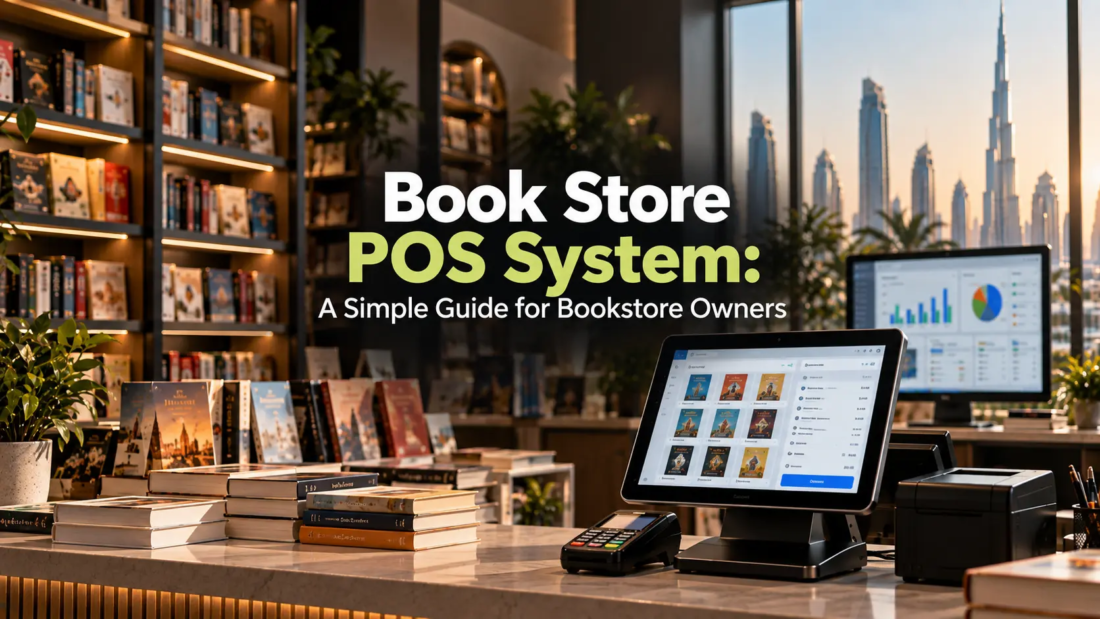
Book Store POS System: A Simple Guide for Bookstore Owners

Running a bookstore involves much more than putting books on shelves and processing customer payments. Store owners need to keep track of hundreds or even thousands of titles, monitor stock levels, manage purchases, handle returns, record sales, and understand which products are performing well.

When these tasks are managed manually, even a small mistake can create bigger problems. A book that appears available in the system may already be sold out, a popular title may not be reordered on time, or sales information may be difficult to analyse.

This is where a bookstore POS system can make everyday bookstore operations easier. From billing and inventory management to sales reports and customer information, a modern POS solution can bring several important tasks together in one place.

What Is a Book Store POS System?

A Point of Sale system is software designed to manage sales transactions and other retail activities. For bookstores, the system can be configured to handle the specific requirements of selling books and related products. Instead of relying on handwritten bills, spreadsheets, or separate inventory records, bookstore owners can use POS software to manage important information digitally.

Depending on the solution, a POS system may include:

  • Book and product catalogues
  • Barcode scanning
  • Billing and invoicing
  • Inventory tracking
  • Sales reporting
  • Purchase management
  • Customer records
  • Discount management
  • Returns and exchanges
  • Employee access controls

The goal is simple: make routine bookstore operations faster, more organised, and easier to monitor.

Why Do Bookstores Need a POS System?

A bookstore can have a large and constantly changing inventory. New titles arrive, old titles sell, damaged products may need to be removed, and customers may request specific books that are currently unavailable. Managing all of this manually can become difficult as the business grows.

A POS system can help bookstore owners keep better control over daily operations by connecting sales and inventory information. For example, when a customer purchases a book, the sale can be recorded and the available stock can be updated automatically. This means employees do not need to manually change inventory records after every transaction.

For businesses considering POS software Abu Dhabi, it is also important to look at features such as barcode scanning, inventory control, reporting, payment integration, and support for multiple locations.

Key Features of a Bookstore POS System

Not every POS system offers the same features. Before choosing one, bookstore owners should understand which capabilities are most useful for their operations.

1. Fast and Accurate Billing

Billing is one of the most important functions of any POS system. Employees can scan a product barcode, add it to the customer’s bill, apply discounts where applicable, and complete the payment without manually entering every product detail. This can reduce billing errors and help customers move through the checkout process more quickly.

2. Inventory Management

Inventory management is particularly important for bookstores because there can be a large number of individual products.

A POS system can help track:

  • Available stock
  • Sold quantities
  • Low-stock items
  • New arrivals
  • Product movement
  • Damaged or returned products

This gives store owners better visibility into what is actually available.

3. Barcode Scanning

Manually entering book names and prices for every transaction takes time and creates opportunities for errors. With barcode scanning, employees can quickly identify products and add them to a transaction. This is especially useful for bookstores with a large inventory.

4. Sales Reports

A bookstore POS system can provide reports that help owners understand business performance.

Reports may include:

  • Daily and monthly sales
  • Best-selling books
  • Slow-moving products
  • Sales by category
  • Transaction history
  • Revenue trends
  • Discount activity

These insights can help owners make better purchasing and stocking decisions.

How POS Software Can Improve Bookstore Inventory Management

Inventory is often one of the biggest challenges for bookstore owners. Having too much stock can tie up money and valuable shelf space. Having too little stock can result in missed sales, especially when customers are looking for popular titles.

A POS system can make inventory information easier to access. For example, if a particular book consistently sells quickly, the store owner can identify the trend through sales reports and plan future purchases accordingly. Businesses evaluating Retail software Dubai solutions should also consider whether the system provides real-time inventory visibility and supports purchasing workflows.

Benefits of Using a POS System in a Bookstore

A well-configured POS solution can provide several practical benefits.

Faster Store Operations

Employees can complete transactions, process returns, and check product information more quickly.

Better Inventory Visibility

Store owners can see current stock levels without manually checking every shelf or spreadsheet.

Fewer Manual Errors

Automated calculations, barcode scanning, and digital records can reduce common billing and inventory mistakes.

Easier Reporting

Instead of calculating sales information manually, owners can generate reports from the system.

Improved Customer Service

Employees can quickly check product availability and provide customers with accurate information.

Better Business Decisions

Sales and inventory data can help owners understand customer demand and plan purchasing more effectively.

Can a POS System Help With More Than Books?

Yes. Modern retail POS platforms can manage different types of products, including stationery, educational materials, gifts, office supplies, magazines, and other products commonly sold in bookstores.

This flexibility can be useful for businesses that have expanded beyond books. For example, retailers comparing POS software for supermarket UAE solutions may also look for features such as barcode management, product categorisation, inventory control, promotions, and detailed sales reporting. Similar capabilities can be useful for bookstores with diverse product ranges.

POS System and Warehouse Management

Larger bookstores may have a separate storage facility or warehouse where additional inventory is kept before being moved to the retail store. In such cases, connecting sales and inventory information with warehouse operations can provide better stock visibility.

Businesses researching Warehouse management software Dubai should consider whether their warehouse system can integrate with their POS and inventory platforms. Integration can help reduce duplicate data entry and make it easier to understand where products are located.

For example, the store may show that a particular title is unavailable on the sales floor while the warehouse still has several units available. With connected systems, employees can identify the available stock and arrange a transfer when required.

Expert Tips for Choosing a Bookstore POS System

Choosing software should not be based only on the number of features listed on a product page.

Before making a decision, consider these practical points:

  1. Understand your inventory size: A small independent bookstore may have different requirements from a large multi-branch retailer.
  2. Check barcode support: Make sure the system can handle your product identification process.
  3. Look at reporting features: Reports should provide information that is actually useful for business decisions.
  4. Consider scalability: Choose software that can support additional products, employees, or branches as the business grows.
  5. Check integrations: If you already use accounting, payment, e-commerce, or inventory software, check whether integration is available.
  6. Ask about support: Reliable technical support can be important when the POS system is used every day.
  7. Request a demonstration: Testing the software before purchasing can help employees understand whether it fits their workflow.

Common Mistakes to Avoid

Even the right software can create problems if it is poorly implemented.

Choosing Based Only on Price

The cheapest system may not provide the features, support, security, or scalability your business needs.

Ignoring Employee Training

Employees should know how to process sales, returns, discounts, stock adjustments, and other common tasks.

Not Maintaining Product Data

Incorrect prices, duplicate products, or outdated inventory records can affect the accuracy of reports.

Forgetting About Future Growth

A system that works for one small store may not be suitable if you plan to open additional branches.

Overlooking Integration

If your POS cannot communicate with your accounting, inventory, or online sales platforms, employees may have to enter the same information multiple times.

What Should Bookstore Owners Look For?

The right system depends on the size and requirements of the business. A small independent bookstore may prioritise simple billing and inventory tracking, while a larger retailer may require advanced reporting, multi-store management, purchasing, warehouse integration, and accounting connectivity.

When evaluating retail software in Abu Dhabi, bookstore owners should focus on how well the software fits their actual workflow rather than simply choosing the platform with the longest feature list. A good POS system should make everyday work easier, not create unnecessary complexity.

Frequently Asked Questions

1. What is a bookstore POS system?

A bookstore POS system is software used to manage sales, billing, inventory, product information, customer records, and reporting for a bookstore.

2. Can a POS system manage bookstore inventory?

Yes. Many POS systems can track stock levels, sales, product movement, low-stock items, returns, and other inventory-related information.

3. Can a bookstore POS system manage stationery and other products?

Yes. Most modern POS systems can manage different product categories, including stationery, gifts, educational supplies, magazines, and other retail products.

4. Can POS software integrate with accounting systems?

Many POS platforms offer integrations with accounting and other business management systems. The available integrations depend on the software provider.

5. Is a POS system suitable for a multi-branch bookstore?

Yes. Businesses with multiple branches can benefit from POS software that supports centralised inventory, branch-level sales tracking, user permissions, and consolidated reporting.

Final Thoughts

Managing a bookstore efficiently requires more than simply keeping track of sales. Owners need accurate inventory information, efficient billing, useful reports, and a clear understanding of what customers are buying. A bookstore POS system can bring these everyday activities into one organised platform, helping businesses reduce manual work and gain better visibility into their operations.

The key is to choose software based on your actual business requirements. Consider your inventory, number of products, sales volume, employees, locations, integrations, and future growth before making a decision. The right technology should work quietly in the background while making your team’s daily tasks simpler and giving you better control over your business.

Looking for the Right POS Solution?

At Invent Next, we help businesses find and implement technology solutions that fit their operational requirements. Whether you are setting up a new bookstore, upgrading an existing billing system, or looking for integrated retail and inventory management, our team can help you explore the right solution.

Contact Invent Next today to discuss your POS requirements and discover a smarter way to manage your retail business.
pos-vs-erp-features-benefits-and-key-difference

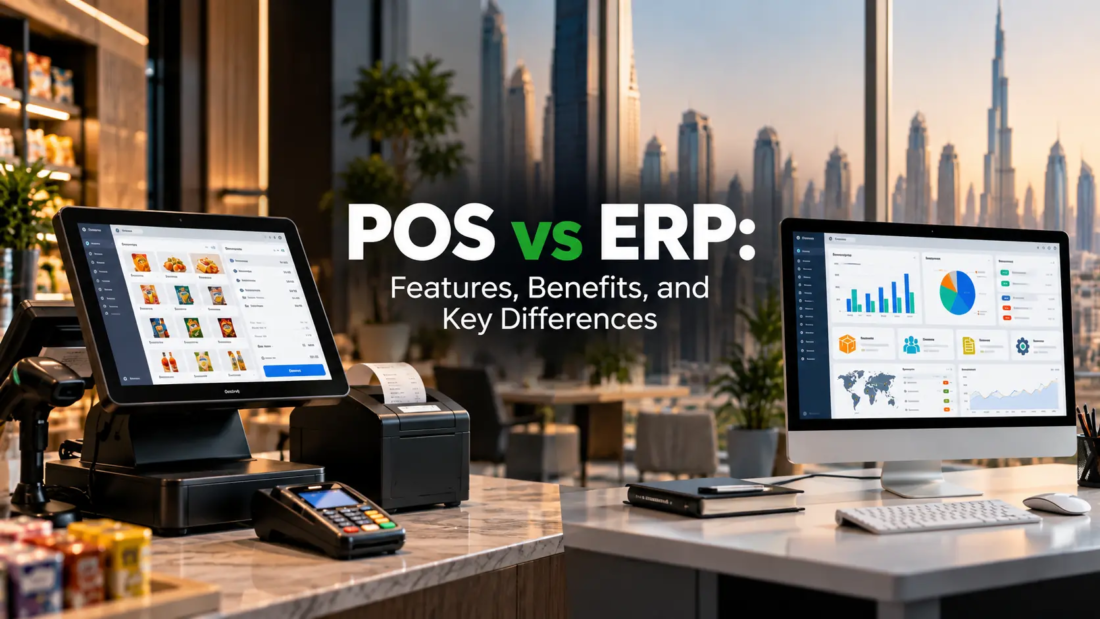
POS vs ERP: Features, Benefits, and Key Differences

Running a business today involves much more than simply making sales. Businesses need to manage inventory, monitor finances, understand customer behaviour, coordinate employees, track purchases, and make informed decisions. The software you choose can have a direct impact on how efficiently all of these activities are handled. This is where the difference between POS vs ERP becomes important.

A Point of Sale system is primarily designed to manage transactions and sales-related activities, while an Enterprise Resource Planning system connects multiple areas of a business through one integrated platform. Although both systems can help improve efficiency, they serve different purposes and are designed for different business needs.

Understanding their features, benefits, and differences can help business owners choose technology that supports their current operations while preparing them for future growth.

What Is a POS System?

A Point of Sale, or POS, system is software used to process sales transactions and manage activities connected to selling products or services. Modern POS systems are much more than digital cash registers.

Depending on the industry and software provider, a POS system can include:

  • Billing and invoicing
  • Payment processing
  • Product and inventory tracking
  • Customer information
  • Sales reporting
  • Discount and promotion management
  • Employee sales tracking
  • Tax calculations
  • Barcode scanning

For example, a retail store can use a POS system to record every sale and automatically update its inventory. A restaurant can use it to manage orders, bills, tables, and payments. Businesses looking for POS software Abu Dhabi can therefore evaluate solutions based on their industry, transaction volume, inventory requirements, and reporting needs.

What Is an ERP System?

ERP stands for Enterprise Resource Planning. Unlike a POS system, an ERP platform is designed to connect different business functions within a single system.

An ERP may bring together:

  • Accounting and finance
  • Procurement
  • Inventory management
  • Sales
  • Human resources
  • Payroll
  • Supply chain operations
  • Customer management
  • Warehouse operations
  • Business reporting

Instead of keeping information across separate systems and spreadsheets, an ERP allows different departments to work with connected business data. For a growing company, this can make it easier to understand what is happening across the entire organisation rather than looking only at individual transactions.

POS vs ERP: What Is the Main Difference?

The simplest way to understand the difference is to look at their primary purpose. A POS system focuses mainly on sales and customer transactions. An ERP focuses on managing and integrating broader business operations.

For example, a retail business may use a POS system to process a customer’s purchase, accept payment, and update product stock. An ERP can go further by connecting that sale with purchasing, accounting, warehouse operations, supplier information, and financial reporting.

Here is a simplified comparison:

FeaturePOSERP
Sales transactionsYesYes, depending on system
BillingYesUsually available
Inventory managementYesAdvanced
AccountingLimited or integratedComprehensive
ProcurementLimitedYes
HR and payrollUsually limitedYes
Warehouse managementBasic to advancedAdvanced
Customer managementYesYes
Business-wide reportingLimitedComprehensive
Multi-department integrationLimitedYes

Key Features of POS Software

A modern POS system can provide several features that make everyday sales operations easier.

1. Faster Billing and Payments

POS software can speed up checkout by automating calculations, discounts, taxes, and payment processing. This can reduce manual errors and help employees serve customers more efficiently.

2. Real-Time Inventory Updates

When a product is sold, the system can automatically adjust the available stock. This gives businesses better visibility into product availability.

3. Sales Reporting

Businesses can review information such as daily sales, best-selling products, transaction volumes, and revenue trends.

For businesses evaluating retail software Dubai solutions, reporting capabilities are particularly important because they can help managers understand which products and sales periods are performing well.

4. Customer Management

Many POS platforms allow businesses to maintain customer profiles, purchase histories, loyalty information, and promotional data.

5. Employee Management

Depending on the software, managers can track employee sales, shifts, permissions, and user activity.

Key Features of ERP Software

ERP systems provide a broader set of capabilities because they are designed to manage multiple business functions.

1. Integrated Financial Management

ERP software can connect sales, purchases, expenses, invoices, payments, and other financial information. This can reduce the need to manually transfer data between different systems.

2. Advanced Inventory Management

Businesses can monitor stock levels, product movement, purchasing requirements, and inventory across multiple locations.

3. Procurement Management

ERP systems can help businesses manage suppliers, purchase orders, approvals, and procurement processes.

4. Warehouse Operations

Businesses with complex storage and distribution requirements can use ERP capabilities to monitor inventory movement and warehouse processes.

Companies researching warehouse management software Dubai solutions should consider whether the platform can integrate warehouse activities with purchasing, sales, inventory, and financial operations.

5. Business Intelligence and Reporting

ERP systems can provide management with broader visibility into business performance. Instead of looking at sales data alone, decision-makers can examine information from different departments.

Benefits of Using a POS System

A POS system can be particularly valuable for businesses where sales transactions are at the centre of daily operations.

Key benefits include:

  • Faster checkout
  • More accurate billing
  • Better inventory visibility
  • Easier sales tracking
  • Improved customer service
  • Automated sales reports
  • Reduced manual work
  • Better control over discounts and promotions

For example, a supermarket may process hundreds or thousands of transactions every day. A dedicated POS software for supermarket UAE solution can help manage billing, product information, stock levels, promotions, and sales reporting from one platform.

Benefits of Using an ERP System

ERP software becomes increasingly valuable as business operations become more complex.

Some major advantages include:

  • Centralised business information
  • Improved coordination between departments
  • Better financial visibility
  • More structured procurement
  • Advanced inventory management
  • Improved warehouse control
  • Automated workflows
  • Comprehensive business reporting
  • Support for multi-location operations

A growing company may initially manage different functions using separate tools. However, as the number of employees, products, suppliers, and locations increases, managing disconnected systems can become difficult. An ERP can help bring these processes together.

Can a Business Use Both POS and ERP?

Yes. POS and ERP systems do not necessarily need to compete with each other. In many businesses, they can work together. The POS system can handle front-end activities such as sales and customer transactions, while the ERP manages broader business operations in the background.

For example:

Customer purchase → POS records sale → Inventory updates → ERP receives transaction data → Accounting records revenue → Management reviews performance

This type of integration can reduce duplicate data entry and give management a more complete view of business operations. Restaurants may also benefit from specialized restaurant software in Dubai that can connect ordering, billing, inventory, and other operational processes with broader business systems.

Common Mistakes to Avoid When Choosing Business Software

Choosing software based only on price can create problems later. Businesses should consider their operational requirements before making a decision. Common mistakes include:

Choosing More Features Than You Need

A small business may not need a complex ERP system immediately. Paying for features that employees rarely use can increase costs and complexity.

Ignoring Scalability

The opposite mistake is choosing a system that only works for the company’s current size. If the business expands rapidly, replacing the system can become expensive and disruptive.

Overlooking Integration

If the POS, accounting, inventory, and other systems cannot communicate properly, employees may have to enter the same information multiple times.

Not Training Employees

Even good software will not deliver its full value if employees do not understand how to use it correctly.

POS or ERP: Which One Does Your Business Need?

There is no single solution that works for every business.

A POS system may be sufficient when the primary requirement is managing sales, payments, customers, and basic inventory. An ERP may be more appropriate when the business needs to coordinate multiple departments, locations, financial processes, procurement activities, inventory, and other operations.

For some growing businesses, the practical solution may be a POS system integrated with an ERP rather than choosing only one. The right decision depends on the size of the business, operational complexity, budget, industry, and future growth plans.

Frequently Asked Questions

1. Is a POS system the same as an ERP?

No. A POS system primarily manages sales transactions and related activities, while an ERP connects multiple areas of a business such as finance, procurement, inventory, HR, and operations.

2. Can POS software integrate with ERP software?

Yes. Many modern business systems can integrate POS and ERP platforms, allowing sales and inventory information to move between systems.

3. Does a small business need an ERP?

Not necessarily. A small business with straightforward operations may only need a POS or a few specialised systems. ERP becomes more useful when operations become larger or more complex.

4. Can an ERP replace a POS system?

Some ERP platforms include POS functionality, but whether they can fully replace a dedicated POS depends on the business and the ERP’s capabilities.

5. What should businesses consider before choosing POS or ERP software?

Businesses should evaluate their sales volume, inventory complexity, number of locations, accounting requirements, integration needs, employee workflows, budget, and future growth plans.

Final Thoughts

The difference between POS and ERP comes down largely to scope. A POS system is built around sales and customer transactions. An ERP is designed to connect and manage broader business operations. For businesses that are growing, the choice is not always about selecting one over the other. In many cases, integrating the two can provide both efficient sales management and stronger operational control.

Before choosing a system, look beyond features and consider how the software will fit into your actual business processes. The right technology should simplify daily work, improve visibility, reduce repetitive tasks, and support the way your business plans to grow.

Looking for the Right Business Software?

At Invent Next, we help businesses identify and implement technology solutions that align with their operational requirements. Whether you need POS software, ERP solutions, inventory management, or integrated business systems, our team can help you explore the right approach for your business.

Contact Invent Next today to discuss your business software requirements and find a solution built around the way your business operates.

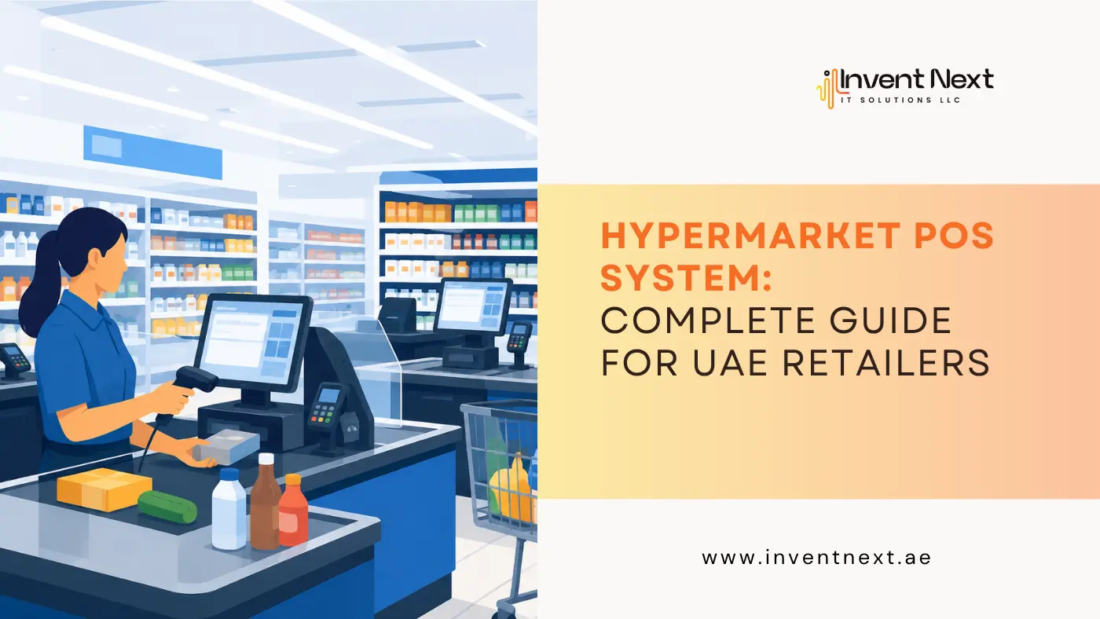
hypermarket-pos-system-complete-guide-by-inventnext

Hypermarket POS System: Complete Guide for UAE Retailers

A hypermarket can have tens of thousands of products, multiple billing counters, different payment methods, frequent promotions, warehouses, suppliers, and thousands of customer transactions every day. Managing all of this with disconnected billing software and spreadsheets is a recipe for delays, stock errors, and lost revenue. This is where a hypermarket POS system becomes more than a billing tool. A modern POS connects sales, inventory, purchasing, pricing, customer management, reporting, and back-office operations in one system.

For UAE retailers operating in highly competitive markets such as Dubai and Abu Dhabi, having accurate, real-time information can make a significant difference. With self-checkout, digital payments, loyalty programmes, multi-store operations, and increasingly connected retail environments becoming more common, UAE hypermarkets need technology that can keep pace with customer expectations.

What Is a Hypermarket POS System?

A hypermarket POS system is a specialised point-of-sale solution designed to manage high-volume retail transactions across large stores. Unlike a basic cash register, it can connect the checkout counter with inventory, purchasing, pricing, promotions, accounting, customer data, and management reports.

For a hypermarket, this means that when a cashier scans an item, the system can simultaneously:

  • Record the sale
  • Update inventory
  • Apply the correct price or promotion
  • Calculate applicable taxes
  • Record the payment
  • Update sales reports
  • Provide data for management analysis

This connected approach helps retailers reduce manual work and maintain better control over thousands of SKUs.

Why Do UAE Hypermarkets Need Advanced POS Software?

Retailers in the UAE operate in a fast-moving environment where customers expect quick checkout, accurate pricing, convenient payment options, and reliable product availability. A hypermarket may also operate several checkout counters simultaneously while managing stock between the sales floor, warehouse, and multiple branches. A modern POS helps bring these activities together.

For retailers searching for a reliable POS system Abu Dhabi, the priority should not simply be the cheapest billing software. The solution should be capable of supporting high transaction volumes, inventory complexity, integrations, reporting, and future expansion.

Key Features to Look for in a Hypermarket POS

1. Fast Barcode Billing

Speed at the checkout counter directly affects customer experience. A good POS should support barcode scanners and allow cashiers to quickly search products when a barcode is unavailable. It should also handle PLU-based products and items sold by weight. Fast billing becomes particularly important during weekends, holidays, promotional campaigns, and peak shopping hours.

2. Real-Time Inventory Management

Inventory accuracy is one of the biggest challenges for hypermarkets. The POS should automatically update stock whenever products are sold, returned, transferred, or received. Managers can then identify fast-moving products, slow-moving inventory, and potential stock shortages. This is particularly valuable when hundreds or thousands of products need to be monitored across different departments.

3. Multi-Store Management

Growing retailers may operate stores across Dubai, Abu Dhabi, Sharjah, or other Emirates. Instead of managing each branch independently, a centralised system can provide management with a consolidated view of sales, inventory, purchasing, and performance. When comparing POS system suppliers in UAE, ask whether the software can support multiple locations and whether branch-level data can be managed from a central back office.

4. Weighing Scale Integration

Hypermarkets commonly sell fruits, vegetables, meat, bakery products, spices, and other items by weight. Integration with weighing scales can reduce manual price entry and minimise billing errors. The POS should be able to work with the hardware used at your counters and departments.

5. Promotions and Discount Management

Hypermarkets regularly run offers such as:

  • Buy-one-get-one promotions
  • Percentage discounts
  • Bundle offers
  • Category discounts
  • Seasonal campaigns
  • Customer-specific offers
  • Quantity-based discounts

A capable POS should automate these rules rather than forcing cashiers to calculate them manually. This reduces errors and makes promotional campaigns easier to manage.

How POS Improves Hypermarket Operations

The value of a POS system extends well beyond checkout.

Better Stock Control

When every transaction updates inventory automatically, managers get a clearer picture of what is actually available. This can help prevent both overstocking and stock-outs.

Faster Checkout

Barcode scanning, integrated payment terminals, product lookup, and efficient cashier interfaces help reduce unnecessary delays. For customers, the benefit is simple: less time standing in line.

Improved Employee Accountability

A modern POS can track cashier activity, refunds, discounts, voids, and other transactions. This creates greater transparency and helps managers investigate unusual activity.

More Accurate Business Reports

Management needs more than total sales figures. Useful reports can include:

  • Daily and monthly sales
  • Product performance
  • Department performance
  • Cashier performance
  • Stock movement
  • Purchase reports
  • Profitability
  • Discounts and promotions
  • Returns and refunds

These insights can support better purchasing and pricing decisions.

POS Systems for Supermarkets and Hypermarkets: What Is the Difference?

Although supermarkets and hypermarkets share many POS requirements, hypermarkets typically have greater operational complexity. A supermarket may manage a few thousand products, while a large hypermarket can have significantly more SKUs across groceries, household goods, electronics, apparel, bakery, fresh produce, and other departments.

That means a hypermarket solution needs stronger capabilities for:

  • Large product databases
  • Multiple departments
  • High transaction volumes
  • Multiple checkout stations
  • Centralised inventory
  • Complex promotions
  • Multi-branch management
  • Detailed reporting

Retailers looking for POS systems for supermarket Dubai should therefore evaluate whether the software can scale as their product range and number of outlets increase.

Choosing the Right POS Software for Your Hypermarket

Selecting software should start with your operational requirements rather than a list of features.

Ask these questions before making a decision:

  1. How many products do we currently manage?
  2. How many checkout counters do we operate?
  3. Do we need multi-branch management?
  4. Do we sell products by weight?
  5. Which payment methods need integration?
  6. Do we require loyalty programme support?
  7. How complex are our promotions?
  8. Does the system integrate with accounting software?
  9. What reports do managers need?
  10. Can the software scale with business growth?

For retailers comparing POS software for supermarket UAE, these questions can help separate a genuinely suitable retail platform from a basic billing application.

Benefits of Using a Modern Hypermarket POS

A well-implemented POS can provide several operational advantages:

  • Faster transactions: Automated scanning and pricing reduce unnecessary checkout delays.
  • Better inventory visibility: Sales and stock data remain connected, making replenishment decisions easier.
  • Reduced manual errors: Automated calculations and inventory updates minimise repetitive data entry.
  • Improved customer experience: Faster checkout and accurate billing create a smoother shopping journey.
  • Centralised management: Owners can monitor branches and departments through consolidated reports.
  • Better decision-making: Sales and inventory analytics provide useful information for purchasing, pricing, and promotions.

Expert Tips for UAE Hypermarket Retailers

Before implementation, clean your product database. Remove duplicate products, correct product names, verify barcodes, and review pricing information. Start with your most important workflows. Test receiving, stock transfers, barcode billing, discounts, returns, refunds, and end-of-day reconciliation before going live.

Also pay attention to compliance and invoicing requirements. The UAE Ministry of Finance is progressing with its national electronic invoicing programme, so retailers should consider how their POS and back-office systems can adapt to evolving requirements. Finally, choose a provider that offers training, implementation assistance, maintenance, and ongoing technical support. POS software is an operational system, so reliable support matters just as much as the software itself.

Why Retailers Are Moving Toward Integrated POS Solutions

Modern retail is no longer just about scanning products and collecting payments. Retailers need a connected view of what customers buy, what inventory is available, which products are performing, and where operational problems are occurring.

A strong retail software Dubai solution can connect these functions and give managers better control over daily operations. For Dubai retailers, this is particularly relevant as businesses increasingly adopt digital payments, self-checkout, loyalty systems, centralised inventory, and other connected retail technologies.

Why Choose Invent Next for Hypermarket POS Solutions?

Invent Next provides POS and retail software designed for supermarkets, hypermarkets, and department stores in the UAE. Its InventPOS solution supports product and inventory management, barcode devices, POS hardware integration, reporting, and back-office ERP connectivity.

The solution is designed to help retailers manage high-volume transactions while maintaining better control over products, inventory, sales, and business operations.

If you are evaluating a retail POS system Dubai retailers can use to streamline day-to-day operations, focus on functionality, scalability, integrations, and after-sales support rather than choosing software based solely on price.

Frequently Asked Questions

1. What is the main purpose of a hypermarket POS?

A hypermarket POS manages billing while connecting sales with inventory, pricing, promotions, reporting, and other retail operations.

2. Can a POS system manage multiple hypermarket branches?

Yes. Multi-store POS solutions can centralise information from different branches, allowing management to monitor sales, inventory, and performance from a central system.

3. Can POS software integrate with barcode scanners and weighing scales?

Yes. Retail POS solutions can integrate with common hardware such as barcode scanners, weighing scales, receipt printers, cash drawers, and customer displays, subject to compatibility.

4. How does POS software help reduce inventory problems?

Every completed transaction can automatically update stock levels. This gives managers better visibility into sales movement and helps them identify products that need replenishment.

5. What should UAE retailers consider when selecting POS software?

Retailers should consider transaction speed, inventory management, scalability, hardware compatibility, promotions, reporting, integrations, security, support, and the provider’s ability to meet UAE-specific operational and compliance requirements.

Final Thoughts

A hypermarket POS should do much more than generate receipts. It should act as the operational link between your checkout counters, inventory, employees, management, and customers.

The right system can make billing faster, improve inventory accuracy, simplify reporting, reduce manual work, and give management the information needed to make better decisions.

For UAE retailers planning to upgrade their retail technology, the goal should be clear: choose a POS solution that works efficiently today while giving your business room to grow tomorrow.

Ready to Upgrade Your Hypermarket Operations?

Invent Next offers reliable POS and software solutions for hypermarkets, supermarkets, department stores, and other UAE retailers. From fast billing and inventory management to back-office integration and reporting, connect with Invent Next today for a demo.

restaurant-chain-management

Restaurant Chain Management: Why POS Standardization Matters

Running a successful restaurant chain is more than just serving delicious food—it’s about creating a consistent, efficient, and seamless experience across every outlet. Whether you have five locations or fifty, operational consistency can make or break customer satisfaction and profitability. One of the most effective ways to achieve this is through POS (Point of Sale) standardization.

At Invent Next, we understand that restaurant chain management is a delicate balance of technology, people, and processes. Standardizing your POS system across all locations ensures smoother operations, better data management, and a more cohesive brand identity.

What is POS Standardization?

POS standardization means implementing the same Point of Sale system across all branches of your restaurant chain. This includes identical hardware, software, user interfaces, and operational workflows. Instead of each outlet having different systems or setups, standardization ensures uniformity in how sales, billing, inventory, and customer data are handled.

Why It Matters for Restaurant Chains

1. Consistency Across Locations

Customers expect the same experience every time they visit any branch of your restaurant. With POS standardization, the ordering process, billing speed, and payment methods remain consistent. Staff can be trained on one system, making it easier for them to work at different locations without a steep learning curve.

2. Improved Staff Training and Productivity

Training new employees can be time-consuming, especially if different locations use different POS systems. Standardization reduces training time since staff only need to learn one system. This boosts efficiency and ensures employees can handle peak hours more effectively.

3. Centralized Reporting and Analytics

One of the biggest challenges in managing multiple outlets is tracking performance across locations. A unified POS system lets you access sales, inventory, and customer information from every branch through a single, centralized dashboard.This makes it easier to compare performance, identify trends, and make data-driven decisions.

4. Streamlined Inventory Management

Different POS systems across locations can cause inventory mismatches and unnecessary waste.Standardized systems ensure that inventory updates are accurate and synchronized across all outlets. This is especially valuable for restaurant chains with centralized kitchens or shared supply chains.

5. Enhanced Customer Experience

With a unified POS system, you can offer consistent loyalty programs, promotions, and payment options across all locations. Customers will appreciate the familiarity and reliability, which helps build brand loyalty.

The Role of Technology Partners

Choosing the right technology partner is crucial in ensuring seamless POS standardization. As a trusted Pos machine supplier in Abu Dhabi, we at Invent Next provide restaurant chains with advanced POS solutions tailored to their needs. From robust hardware to cloud-based software, our systems are designed for scalability and ease of integration.

How POS Standardization Boosts Profitability

  • Reduced Errors – Uniform systems reduce the likelihood of billing mistakes and data entry errors.
  • Faster Service – A familiar, intuitive interface speeds up order taking and checkout.
  • Better Decision-Making – Consolidated data gives you a clearer financial picture.
  • Cost Savings – Reduced training costs and operational inefficiencies mean higher profits.

Overcoming the Challenges

Some restaurant owners hesitate to standardize because of upfront costs or the complexity of migrating data. However, working with an experienced partner like Invent Next ensures a smooth transition. Our team helps with system setup, staff training, and ongoing technical support so that the benefits of standardization are realized quickly.

Another concern is flexibility—owners worry that a standardized system might limit location-specific needs. The truth is, modern POS systems offer customization options while maintaining a unified core structure. This means you can cater to local demands without compromising on consistency.

The Competitive Advantage

In today’s fast-paced food and beverage industry, having a competitive edge is essential. Restaurant chains that embrace POS standardization enjoy smoother operations, stronger brand recognition, and higher customer satisfaction rates. Whether it’s a single city or multiple countries, a standardized POS framework helps maintain brand integrity and operational excellence.

As a Pos machine supplier in Abu Dhabi, Invent Next is committed to helping restaurant chains streamline their operations.We design our POS solutions to scale seamlessly, so your technology expands in step with your business growth.

Final Thoughts

POS standardization is no longer a luxury—it’s a necessity for modern restaurant chain management. Whether it’s boosting operational efficiency or elevating the customer experience, the advantages are clear and compelling.By partnering with technology experts like Invent Next, restaurant owners can ensure their systems are future-ready, easy to manage, and capable of supporting growth for years to come.

If your restaurant chain is ready to embrace standardization, now is the time to act. With the right tools and guidance, you can create a seamless dining experience across every branch—keeping customers happy and your operations running like clockwork.

inventory-shrinkage-in-retail

Inventory Shrinkage in Retail: How POS Tracking Reduces Losses

Inventory is one of the most valuable assets for any retail business. When stock levels don’t match your sales or physical count, it’s a sign of inventory shrinkage—a silent threat that eats into profits. In a fast-paced retail environment like the UAE, even small discrepancies can lead to significant financial loss over time.

At InventNext, we help retail businesses across the region take control of their inventory with advanced POS solutions designed to detect and prevent shrinkage before it becomes a serious issue.

Understanding Inventory Shrinkage

Inventory shrinkage occurs when the actual stock is less than what is recorded in the inventory system. It’s often caused by:

  • Shoplifting or internal theft
  • Miscounting during manual inventory checks
  • Supplier fraud or delivery errors
  • Damage or spoilage
  • Incorrect product handling or pricing

These losses are usually unnoticed in day-to-day operations but add up significantly by the end of the year. Addressing this issue requires not just awareness, but also the right technology to track every item that enters or leaves your store.

How POS Tracking Minimizes Shrinkage

A reliable POS system provides much more than simply processing transactions. It provides real-time visibility into inventory movement, helping businesses maintain accuracy, reduce human errors, and hold staff accountable. Here are some specific ways POS tracking helps reduce losses:

1. Real-Time Inventory Monitoring

A modern POS system keeps inventory up to date in real-time with each sale, return, or adjustment. This real-time data prevents errors caused by delayed updates or manual recording. With InventNext POS solutions, retailers can keep an eye on stock changes across multiple branches or outlets instantly.

2. Audit Trails and User Control

Employee theft accounts for a large portion of shrinkage. POS systems can track staff activity—voided sales, unauthorized discounts, or altered transactions—and help business owners identify irregularities. Customizable permissions also ensure that sensitive functions are only accessible to authorized personnel.

3. Accurate Barcode and SKU Management

By scanning items during checkout or restocking, businesses eliminate manual input errors and ensure that the correct stock quantities are maintained. Barcodes and SKUs also make it easier to locate products and monitor fast-moving or underperforming inventory.

4. Loss Reports and Pattern Analysis

POS systems generate detailed reports that highlight inconsistencies in sales or inventory, allowing businesses to investigate the root cause of shrinkage. Whether it’s frequent stock loss in one department or recurring refund abuse, these insights help in making smarter decisions.

Supporting Practices to Prevent Shrinkage

While technology plays a key role, combining it with strong operational habits enhances protection against shrinkage:

  • Schedule frequent stock counts and match them with system reports
  • Keep high-value items in secure or visible locations
  • Train staff on proper inventory handling procedures
  • Monitor entry and exit points with surveillance
  • Use inventory alerts for low stock and abnormal item movement

These measures, when used with a reliable Pos machine supplier in Abu Dhabi retailers trust, make for a strong defense against unnecessary losses.

Why InventNext?

At InventNext, we specialize in providing smart retail solutions tailored for the UAE market. Our systems go beyond basic sales functions—they’re built to help you protect your profits, manage your inventory, and grow your business confidently.

Whether you’re running a fashion boutique, supermarket, or multi-branch retail chain, we offer scalable solutions to fit your needs. Our intuitive POS software ensures you never lose track of what’s in stock—or what’s going missing.

If you’re ready to take control of your inventory, reduce shrinkage, and improve operational efficiency, it’s time to explore how a point of sale system uae businesses rely on can help.

Conclusion

Inventory shrinkage may not always be visible, but its effects are deeply felt—especially in the retail world where profit margins can be tight. By implementing a smart POS solution, businesses can gain better control over stock movement, minimize errors, and reduce losses caused by theft, damage, or mismanagement.

At InventNext, we’re committed to helping UAE retailers tackle these challenges head-on with technology that simplifies operations and secures their inventory. When paired with good business practices, a reliable POS system can be the key to long-term success and sustainability.

is-pos-transaction-safe

Is POS Transaction Safe? A Look at Security, Reliability & Smart Solutions for UAE Retailers

In today’s fast-paced retail environment, Point of Sale (POS) systems have become essential for processing payments, managing inventory, and streamlining customer experiences. But with the growing reliance on digital transactions, one question remains top-of-mind for many businesses: Is POS transaction safe?

The short answer is: Yes—if you use the right systems and take proper precautions. In this blog, we’ll explore what makes POS transactions secure, potential risks to watch out for, and how companies like Invent Next are helping retailers and supermarkets in the UAE adopt safer, smarter POS solutions.

Understanding POS Security

A POS system is where your customer makes a payment for goods or services at your store. It usually includes hardware (like a terminal or barcode scanner) and software (used to process transactions and track sales). Since these systems handle sensitive data—especially debit/credit card information—they are common targets for cyber threats.

So, how can you be sure that your POS transactions are secure? The answer lies in the technology behind your system, how it’s maintained, and whether your provider follows proper security protocols.

Key Features of a Secure POS System

Here are some of the most important features that ensure POS transaction safety:

  1. End-to-End Encryption (E2EE):
    This ensures that customer card data is encrypted the moment it’s entered, preventing hackers from accessing it during transmission.
  2. PCI Compliance:
    A trustworthy POS provider will ensure their systems are compliant with the Payment Card Industry Data Security Standard (PCI DSS), which is designed to protect cardholder data.
  3. Regular Software Updates:
    Security patches and regular updates help protect your POS software from vulnerabilities.
  4. Role-Based Access Control:
    Limiting who can access specific POS functions reduces the risk of internal data breaches or fraud.
  5. Cloud-Based Backups:
    Cloud storage adds an extra layer of security and makes data recovery easier in the event of system failure or cyberattack.

Risks Associated with POS Systems

While modern systems are built with strong security features, vulnerabilities still exist—especially when outdated or poorly maintained systems are used. Common risks include:

  • Card skimming or cloning devices
  • Phishing attacks on employees
  • Malware or ransomware targeting the system
  • Unauthorized access from untrained staff or former employees

These risks highlight the importance of partnering with trusted providers and choosing systems tailored for your business type.

Invent Next’s Approach to POS Safety

At Invent Next, we don’t just sell POS solutions—we help businesses implement systems that are safe, efficient, and scalable. Whether you’re running a boutique store or a full-scale supermarket in the UAE, our solutions are designed to minimize risks while maximizing performance.

We ensure that every product we offer meets global security standards and undergoes rigorous testing. From POS software customization to secure cloud integration, Invent Next focuses on giving retailers peace of mind when it comes to data security and transaction integrity.

Why It Matters for Supermarkets and Retailers in the UAE

Retailers and supermarket owners in the UAE handle hundreds or thousands of transactions daily. A single data breach could affect your reputation, customer trust, and bottom line.

That’s why many businesses look for Pos system suppliers in UAE who offer both hardware and software that are optimized for local regulations and industry best practices. Working with the right supplier also means getting proper training, support, and system maintenance—all of which reduce your exposure to risk.

Furthermore, choosing the right Pos software for supermarket UAE is critical for managing high transaction volumes, maintaining inventory accuracy, and ensuring fast checkouts—all without compromising security.

Final Thoughts: Is It Really Safe?

Yes,POS transactions are safe when you invest in the right technology and training. With ongoing advancements in encryption, cloud computing, and biometric access, the risk of fraud or breaches is lower than ever—provided you choose a reliable system and partner.

For businesses looking to future-proof their operations, working with experienced Pos system suppliers in UAE like Invent Next ensures you’re not only compliant but also competitive.

Whether you’re starting a new store or upgrading your current setup, selecting the right Pos software for supermarket UAE can make a real difference in both security and efficiency.

If you’re serious about safeguarding your sales and building trust with your customers, it’s time to rethink your POS strategy—because a secure transaction is more than just good business; it’s a necessity.

barcode-scanner-for-inventory-tracking

Barcode Scanner for Inventory Tracking: A Beginner’s Guide

In the dynamic world of modern retail and warehouse operations, managing inventory requires precision, speed, and clear visibility. Barcode scanners have become one of the most reliable tools for helping businesses optimize and automate these processes.Whether you’re running a small retail store or a large warehouse, a barcode-based inventory system can significantly improve efficiency and reduce human error.

In this beginner’s guide, we’ll break down the role of barcode scanners in inventory tracking, how they work, and how companies like Invent Next are helping businesses in the UAE adopt smarter, automated systems for better control and productivity.

What Is a Barcode Scanner?

A barcode scanner is an electronic device that reads printed barcodes and translates the encoded data into readable information, typically connected to a point-of-sale (POS) or inventory management system. It works by shining a laser or imaging light on the barcode and detecting the reflection to interpret the pattern of black-and-white lines or dots.

Barcode scanners come in various forms, including:

  • Handheld scanners
  • Wireless or Bluetooth scanners
  • Fixed-mount scanners
  • Mobile scanning apps and terminals

Each type serves different needs based on the industry, scale, and level of automation required.

Why Barcode Scanning Is Essential for Inventory Tracking

Manual inventory methods are prone to errors, miscounts, and time delays. Barcode scanning solves these challenges by offering:

Real-Time Inventory Updates

Each time a product is received, transferred, or sold, scanning its barcode instantly updates the inventory records, helping to minimize stock inconsistencies.

Faster Stock Reconciliation

Conducting audits becomes significantly easier. Employees can simply scan each product during a stock check, and the system matches it with recorded data instantly.

Reduced Human Errors

Barcode scanners eliminate manual entry mistakes by ensuring that every item’s unique identifier is correctly logged in the system.

Improved Operational Efficiency

From receiving goods to shelving and dispatch, barcode systems streamline the workflow and reduce time wasted on paperwork or data entry.

How Barcode Scanners Work with Inventory Management Systems

Barcode scanners don’t operate in isolation. They are most effective when integrated into a comprehensive inventory management solution, like those provided by Invent Next.

Here’s how it works:

  1. Each item in the inventory is tagged with a unique barcode label.
  2. When the item is moved (received, sold, or transferred), it’s scanned using a barcode scanner.
  3. The scanned data is instantly sent to the inventory software, updating the product’s status, quantity, and location.
  4. Reports, reorder alerts, and real-time dashboards can then be generated automatically.

Invent Next, one of the most trusted Pos system suppliers in UAE, offers advanced POS and WMS systems that support barcode-based inventory management. Their solutions help retailers, wholesalers, and even auto garages improve accuracy and simplify complex tracking tasks. With their systems, businesses can seamlessly integrate barcode scanners into their daily operations—making inventory control both smart and stress-free.

Who Should Use Barcode Scanners for Inventory?

Barcode scanning is widely used across industries:

  • Retail stores – for managing stock levels, pricing, and promotions.
  • Warehouses – for inbound/outbound logistics, storage, and replenishment.
  • Automotive garages – to track parts, services, and billing (e.g., Invent Next’s eGarage software).
  • Hotels and restaurants – to monitor kitchen stock and supplies.
  • Pharmacies and clinics – to ensure drug inventory accuracy and compliance.

If your business deals with physical goods and stock rotation, barcode scanners are an indispensable tool.

Best Practices for Getting Started

If you’re implementing a barcode inventory system for the first time, here are a few tips:

  • Standardize barcode formats (UPC, EAN, QR codes) across your inventory.
  • Train staff on how to use barcode scanners effectively.
  • Label all items and storage locations for faster identification.
  • Choose inventory software from experienced Pos system suppliers in UAE, like Invent Next, which supports real-time integration.
  • Regularly update your database to ensure accuracy.

Final Thoughts

Adopting barcode scanners for inventory tracking is one of the smartest decisions a business can make. Not only does it improve accuracy and visibility, but it also enables real-time decision-making that can drive profits and customer satisfaction.

Companies like Invent Next are playing a vital role in transforming inventory management for businesses across the UAE. Their POS and inventory systems are designed to work seamlessly with barcode scanners, offering scalable, cloud-enabled solutions for businesses of all sizes.

If you’re looking to simplify your stock control process and take the next step in automation, integrating barcode scanning with Invent Next’s solutions as trusted Pos system suppliers in UAE could be your best move yet.

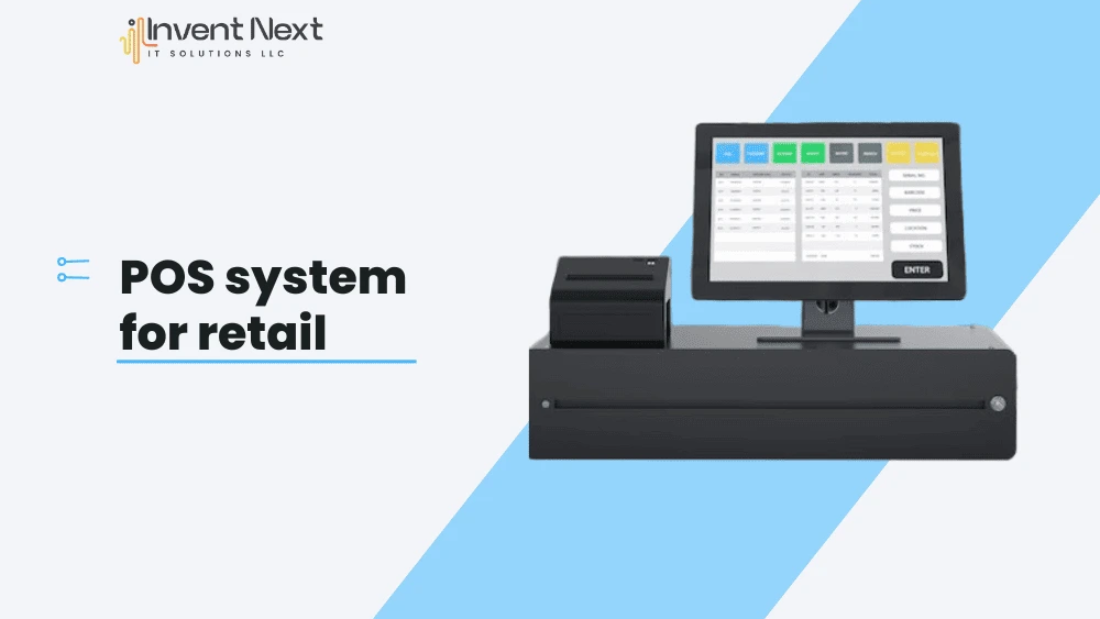
POS system for retail

The Importance of Choosing a POS That Fits Your Industry

Introduction

A POS system for retail is essential for streamlining sales, managing inventory, and improving customer service in today’s competitive market. Choosing the right POS system suppliers in UAE ensures your business gets reliable software with local support, tailored features, and seamless integration, helping you operate more efficiently and grow sustainably.

In today’s competitive market, a Point-of-Sale (POS) system is more than just a transaction tool; it’s a comprehensive solution that can streamline operations, enhance customer experiences, and provide valuable insights. However, selecting a POS system isn’t a one-size-fits-all decision. Each industry—be it retail, hospitality, healthcare, or automotive—has unique requirements. Choosing a POS tailored to your sector ensures optimal performance and business growth.

Why Industry-Specific POS Systems Matter

Different industries have distinct workflows, customer interactions, inventory needs, and compliance requirements. A generic POS may lack critical features, leading to inefficiencies and customer dissatisfaction. Conversely, an industry-specific POS is designed to handle specialized processes, making daily operations smoother and more accurate.

Retail Businesses: Inventory and Sales Analytics

Sales reporting and inventory control are crucial for retailers. A retail-oriented point-of-sale system ought to provide:

  • Real-time stock monitoring
  • Barcode scanning
  • Customer loyalty programs
  • Multi-store and multi-register support
  • Detailed sales analytics

Such features help reduce losses and inform strategic decisions.

Restaurants: Speed and Order Management

Restaurants require swift service and accurate order handling. Restaurant POS systems in Dubai often include:

  • Table and floor layout customization
  • Kitchen Order Ticket (KOT) integration
  • Online ordering and delivery coordination
  • Split billing and tip management
  • Recipe and stock control

These functionalities enhance service efficiency and customer satisfaction.

Pharmacies: Compliance and Inventory Control

Pharmacies are required to handle sensitive data and follow stringent standards. Among the most important POS functions for pharmacies are:

  • Batch and expiry tracking
  • Prescription verification
  • Medicine stock alerts
  • Customer and doctor database management
  • Integration with healthcare systems

An industry-specific POS ensures compliance and reduces operational risks.

Auto Garages: Service Tracking and Parts Management

Auto garages have unique workflows involving job cards, service logs, and spare parts management. Choosing the right digital tool is critical to ensure smooth operations. Auto garage software in Dubai is designed specifically to meet these needs, offering features like automated job tracking, real-time inventory control, and digital service records. By using advanced auto garage software in Dubai, businesses can streamline daily operations, reduce errors, and provide a more professional customer experience.

  • Job assignment and technician tracking
  • Parts inventory control
  • Vehicle service history
  • Invoice generation with tax compliance
  • Customer communication updates

A tailored POS enhances service quality and workshop productivity.

Benefits of Industry-Tailored POS Systems

  1. Operational Efficiency: Automates tasks specific to your industry.
  2. Enhanced Customer Service: Faster service and personalized interactions.
  3. Accurate Data Insights: Industry-specific analytics aid decision-making.
  4. Error Reduction: Customized workflows minimize mistakes.
  5. Regulatory Compliance: Ensures adherence to industry standards and laws.

Selecting the Right POS System

When choosing a POS, consider:

  • Your business type and daily operations
  • Necessary integrations (CRM, accounting, eCommerce)
  • Availability of local support and training
  • Security features and cloud accessibility
  • Scalability for future growth

Testing demos and seeking industry-specific references can aid in making an informed decision.

Conclusion

Investing in a POS system tailored to your industry is crucial for operational efficiency and customer satisfaction. Whether you’re in retail, hospitality, healthcare, or automotive services, an industry-specific POS provides the tools needed to streamline operations and drive business growth.

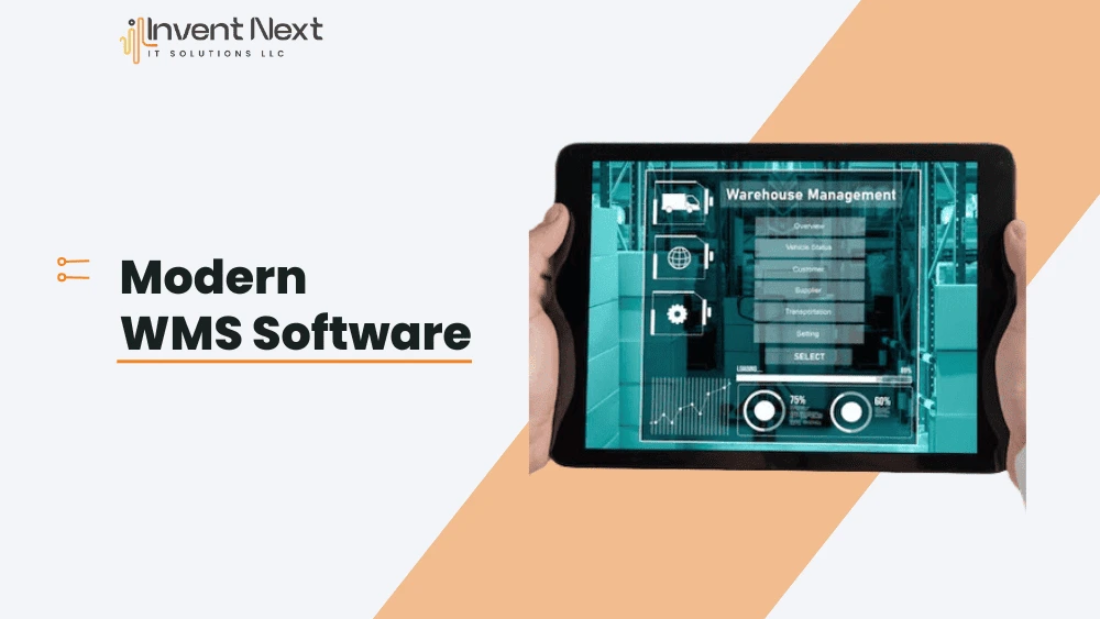
Modern WMS Software

Common Warehouse Challenges Solved by Modern WMS Software

Introduction

Efficient warehouse management is essential for a streamlined supply chain. Yet, many businesses still struggle with outdated systems and manual processes that hinder productivity. A Warehouse Management System (WMS) offers a modern solution, eliminating inefficiencies and providing real-time control over operations. This blog explores how modern WMS software effectively addresses common warehouse challenges, supporting operational accuracy, faster workflows, and better decision-making.

1. Tackling Inventory Inaccuracy

Issue: Manual inventory methods often lead to mismatches between actual stock and recorded data, resulting in stockouts or overstocking.

Solution: A WMS provides real-time tracking of inventory levels using barcode scanners and digital tools. Every stock movement is recorded instantly, reducing errors and providing accurate data for purchasing and sales decisions.

2. Making Better Use of Storage Space

Issue: Poor layout and improper storage planning waste valuable space and slow down operations.

Solution: WMS software helps optimize space usage by recommending the most efficient placement for each product based on size, frequency of use, and product category. This improves warehouse flow and speeds up order processing.

3. Enhancing Picking and Packing Efficiency

Issue: Traditional picking systems often result in slow order fulfillment and picking errors.

Solution: With features like batch, wave, or zone picking, WMS systems guide staff with optimized routes and instructions. This reduces travel time inside the warehouse and ensures orders are packed accurately and quickly.

4. Managing Workforce Performance

Issue: Without visibility into daily activities, it’s difficult to monitor task completion or evaluate team performance.

Solution: A WMS provides tools to assign tasks, monitor real-time progress, and analyze individual output. This helps managers balance workloads, improve team efficiency, and identify training needs.

5. Ensuring Full Product Traceability

Issue: Tracking product history and movement is often a challenge, especially during recalls or audits.

Solution: Modern WMS solutions offer complete traceability by logging every step of a product’s journey within the facility. This ensures compliance with industry standards and provides peace of mind to businesses and customers alike.

6. Solving Integration Limitations

Issue: Standalone systems often fail to communicate with other platforms, causing data inconsistencies.

Solution: WMS software integrates with key systems like ERP, finance, and transport platforms. This ensures smooth data sharing across departments, improving overall coordination and transparency.

7. Cutting Down Operating Costs

Issue: Inefficient labor, excess inventory, and order errors can increase warehouse expenses.

Solution: By automating tasks and providing accurate reports, a WMS helps reduce unnecessary costs. It supports better planning, reduces manual errors, and minimizes stock holding expenses.

8. Streamlining Return Management

Issue: Return handling can be time-consuming and prone to mistakes when done manually.

Solution: WMS simplifies the return process by assigning dedicated locations, updating inventory in real time, and enabling quick product evaluation. This helps businesses process returns smoothly and maintain customer trust.

Why Choose WMS for Your Warehouse?

Modern WMS software is not just for large enterprises—it’s a scalable solution for growing businesses as well. It helps warehouses of all sizes run more efficiently by automating daily operations and offering real-time insights into performance.

Whether you’re running a single warehouse or multiple facilities, implementing a WMS system can reduce manual tasks, improve accuracy, and enhance your ability to serve customers.

Conclusion

Challenges like inventory errors, inefficient picking, and poor labor visibility can hinder warehouse performance. A modern WMS offers practical solutions to these issues by automating workflows, improving data accuracy, and providing better control over daily tasks. For businesses looking to increase efficiency and scale operations, adopting a reliable Warehouse Management System in Dubai is a strategic and essential move.

Sustainable Practices in Modern Restaurants

Sustainable Practices in Modern Restaurants: Enhancing Efficiency with POS Software

Sustainability is increasingly becoming a priority in the restaurant industry, driven by both consumer demand and environmental necessity. Modern restaurants are adopting eco-friendly practices to reduce waste, conserve resources, and support local economies. Key strategies include minimizing food waste through smart inventory management, sourcing ingredients from sustainable and local suppliers, reducing energy consumption with energy-efficient appliances, and implementing digital systems like POS software to streamline operations. With the rise of restaurant software in Dubai, businesses can easily track and optimize their sustainability efforts, contributing to a greener future while enhancing customer satisfaction and profitability.

In today’s environmentally conscious world, restaurants are under growing pressure to operate sustainably. From reducing food waste to optimizing supply chains, sustainability is no longer a choice—it’s a necessity. With the help of advanced POS software, especially in tech-forward hubs like Dubai, modern restaurants can achieve greener operations while boosting profitability. This blog explores how restaurant POS systems in Dubai play a vital role in promoting sustainable practices across the food service industry.

Sustainable Practices in Modern Restaurants

Why Sustainability Matters in the Restaurant Industry

The restaurant industry is a major contributor to global food waste and carbon emissions. With rising awareness and changing consumer expectations, sustainability is now a crucial factor in how businesses are judged. Customers increasingly support restaurants that make eco-conscious choices, whether that means using local produce or implementing digital receipts to reduce paper waste.

Role of POS Software in Sustainable Restaurant Management

Modern restaurant software in Dubai and beyond is far more than just a billing system—it’s an intelligent tool that supports sustainable business practices in multiple ways:

1. Reducing Food Waste Through Data Insights

POS systems can track food sales trends and inventory levels in real-time. By analyzing this data, restaurant owners can plan better, avoid over-ordering, and minimize spoilage.

2. Digitizing Operations to Reduce Paper Use

Digital receipts, online menus, and electronic order tracking are all integrated features in today’s restaurant POS software. These reduce the need for paper, cut costs, and help create a more eco-friendly operation.

3. Improving Energy Efficiency

With cloud-based POS systems, restaurants can reduce their reliance on bulky hardware and local servers. These platforms are optimized for energy efficiency and remote access, cutting down on power usage and unnecessary infrastructure.

4. Supporting Local and Seasonal Sourcing

Inventory and supplier management tools in POS software can be used to prioritize local vendors. This not only reduces the carbon footprint associated with long-distance shipping but also supports the local economy.

Case Study: How Restaurants in Dubai Are Going Green

Restaurants in Dubai are increasingly turning to restaurant software solutions to streamline their sustainability goals. From upscale dining to fast-food chains, many are using POS data to adjust portion sizes, manage energy usage, and train staff on eco-conscious practices. By embedding sustainability into their digital systems, these restaurants are staying ahead in a competitive market.

The Future of Green Dining with POS Technology

As regulations around sustainability grow stricter, adopting eco-friendly practices will no longer be optional. Future-ready POS systems are expected to come with built-in sustainability metrics, such as tracking waste reduction, sourcing patterns, and energy consumption.

Conclusion: Make the Shift Toward a Sustainable Future

Sustainable practices in modern restaurants tips —it’s a transformation. By leveraging the right restaurant software in Dubai, modern eateries can lead the charge in eco-responsible dining while enjoying improved operational efficiency. Whether it’s through reduced waste, energy conservation, or smart sourcing, your POS system can be the backbone of a greener restaurant business.